Secure remote access is one of the most contentious topics in OT security. Vendors, integrators, and internal engineers all need to reach plant systems — for commissioning, support, and after-hours fixes — and the easiest solutions (port forwarding, TeamViewer-style tools, or VPNs with shared passwords) are precisely the ones that create the biggest security holes. This article describes the architectures and controls that let an organization provide remote access to OT without giving attackers a door into the plant.
The Risk Landscape
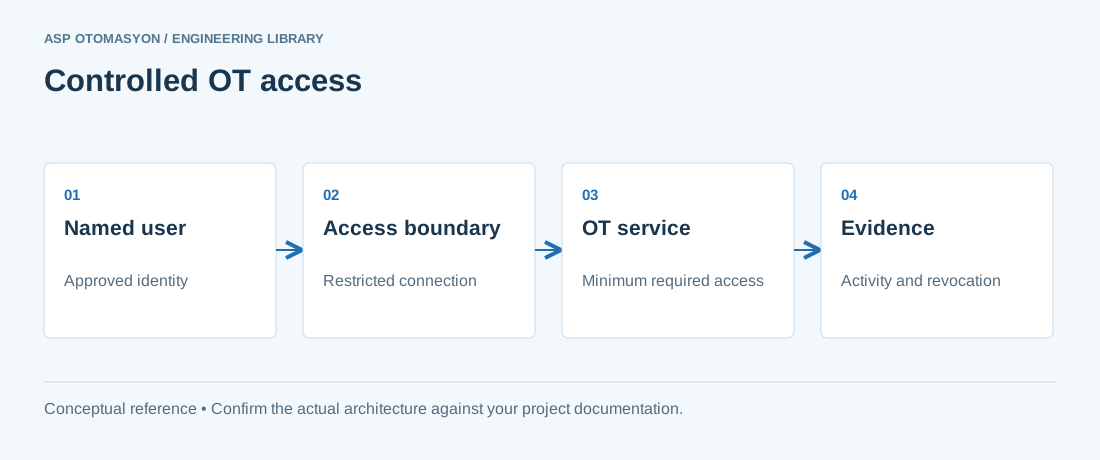
Remote access to OT is attractive to attackers for a simple reason: it is a path from the internet into the control network, often with privileged access and little monitoring. Documented intrusions into industrial organizations frequently start through remote-access tools, exposed RDP, or weak VPN credentials. The objective of a secure remote-access design is therefore not merely to connect people — it is to connect them with the same controls an on-site engineer would face, plus additional verification.
Architecture Principles
1. No direct exposure
Never expose control-system services (RDP, VNC, engineering ports) directly to the internet. All remote access terminates at a dedicated access point, not at the PLC or HMI.
2. Outbound connection from the plant
Prefer architectures where the plant side initiates outbound connections to the access platform (VPN client, cloud relay). This keeps inbound firewall holes closed and works with NAT'd or dynamic-IP plant connections.
3. Defense in depth
Layer the controls: network segmentation (see the Purdue Model article), authentication with MFA, authorization by role, encryption, session logging, and monitoring.
Common Architectures
| Architecture | How it works | Best for |
|---|---|---|
| Site-to-site VPN | Encrypted tunnel between corporate and plant networks via VPN gateways/firewalls | Permanent links between offices and plants |
| Remote-access VPN + MFA | Individual users authenticate (with multi-factor) into a VPN concentrator with restricted access | Vendors and engineers needing periodic access |
| Jump host / bastion | Users connect to a hardened jump server that is the only gateway into OT segments; all sessions recorded | Controlled, auditable engineer access |
| Managed remote-access platform | Commercial OT remote-access service (vendor-run or self-hosted) with outbound relays, MFA, and session recording | Multi-vendor, multi-site support at scale |
Many organizations combine them: a VPN for the corporate-to-plant backbone, a bastion or managed platform for individual sessions, and strict rules about who reaches what.
Access Controls
- Multi-factor authentication (MFA) for every remote user — including vendors. A password alone is not acceptable.
- Role-based authorization: a vendor's engineer should reach only the machines they support, and typically read-only unless a change window is open.
- Time-boxed access: grant access for the duration of the task; revoke automatically. Standing access for everyone is a standing risk.
- Approval workflow: remote sessions are requested, approved, and logged; the plant knows who is connected at any moment.
- Least privilege: separate accounts for remote access, no shared credentials, and no administrator rights by default.
Session Controls and Monitoring
- Session recording: record remote sessions (screen or protocol level) for audit and incident investigation; retain per policy.
- Activity logging: log login, logout, session duration, and commands where the platform supports it.
- Real-time visibility: the plant security team should see active remote sessions and be able to terminate them.
- Alerting: flag unusual patterns — after-hours access, access from new locations, or access to systems outside the user's profile.
Operational Rules for Vendors and Engineers
- Remote access is requested through the plant's process, with scope and duration defined.
- Vendors authenticate with their own MFA-enabled account — never a shared plant account.
- All changes made remotely go through the same change control as on-site work.
- Critical operations (setpoint changes, firmware updates, safety system work) require explicit approval and preferably an on-site presence.
- Credentials for the access platform are revoked when a contractor engagement ends.
Common Pitfalls
- Shared vendor accounts — you cannot audit who actually acted; terminate this practice.
- VPN without MFA — compromised credentials become a direct path to the plant.
- RDP exposed to the internet — one of the most exploited configurations in OT incidents.
- No session logging — when an incident happens, the "who did what" question goes unanswered.
- Bypassing the process for urgency — the after-hours shortcut is exactly when the serious mistakes happen; make the process fast enough that bypassing is unnecessary.
Summary
Secure remote access to OT is achievable and should be expected: no direct exposure, outbound connections, MFA, role-based and time-boxed authorization, session recording, and monitoring. The goal is to make remote support as controlled as on-site work — approved, scoped, authenticated, and audited. When the process is fast and the tools are easy, the "temporary shortcut" that ruins a security posture becomes unnecessary.
Apply this to your project
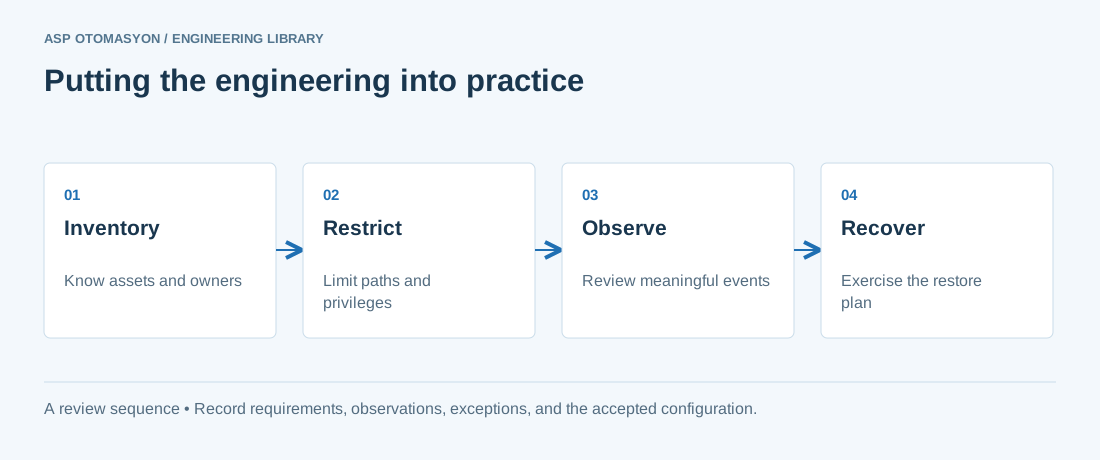
- Identify asset owners, permitted communications, operational dependencies, and consequences of losing the function.
- Test access restrictions and visibility without disrupting plant operations; agree the activity with the OT owner.
- Validate an offline recovery path and document who can authorize isolation, restoration, and return to service.
Follow an ASP project guide to connect the fundamentals with implementation and acceptance.
Primary references and further reading
Use the original specifications and product documentation for implementation details. The examples in this guide are illustrative engineering scenarios, not published project results.