
Patching industrial control systems (ICS) is harder than patching IT, and the stakes are higher. A failed patch on a PLC, HMI, or historian can take a line down; an unpatched system can be the entry point for ransomware. The tension between availability and security is real, but it is manageable with a disciplined, risk-based process. This article covers why ICS patching differs, how to build a patch management program, and how to patch without breaking the plant.
Why ICS Patching Differs from IT
- Availability rules. IT systems tolerate reboots; production systems do not. A reboot window may exist only during planned shutdowns.
- Vendor control. The control-system vendor — not the plant IT team — owns the OS, the runtime, and the patch validation. Patching a DCS without vendor approval can void support.
- Legacy and custom systems. Many ICS components run old Windows versions or custom configurations that break with routine updates.
- Interdependencies. A patch on an HMI can change behavior of engineering tools, historians, or OPC connections.
- Testing constraints. Full testing may require a simulator or a duplicate environment that does not exist.
The Risk-Based Approach
Not every vulnerability deserves an emergency patch. Prioritize by:
- Exploitability: is there a public exploit? Is the system reachable from the internet or from a compromised IT network?
- Exposure: does the affected component sit in a zone with internet or remote access? (See Purdue Model segmentation.)
- Criticality: what is the consequence of the system being compromised or unavailable?
- Mitigating controls: can compensating controls (firewall rules, network isolation, monitoring) reduce the risk while the patch waits for a window?
The output is a decision: patch now, patch at the next scheduled window, or mitigate with compensating controls and defer.
Building the Program
1. Inventory and baseline
You cannot patch what you do not know. Use the OT asset inventory to know every device's OS, firmware, and vendor. Establish a configuration baseline for critical systems so you can detect and revert unintended changes.
2. Vendor validation
For control-system components, follow the vendor's patch process:
- Subscribe to vendor security notifications and patch releases.
- Request and review vendor patch validation notes (what was tested, known issues).
- Use vendor-supported patch bundles where available instead of raw OS updates.
3. Test in a staging environment
Test patches on a duplicate or simulator environment before production:
- Same hardware/software versions as production (a simulator is a good start; identical hardware is better).
- Verify the control application still runs, engineering tools still connect, and alarms/history behave.
- Test the rollback path (backup restore, uninstall) as part of the test.
4. Plan the window
Schedule patches in the plant's planned downtime or a defined maintenance window. Document:
- Exact systems and patch IDs
- Backup and rollback procedure
- Validation steps after patching (system boots, services run, control responds)
- Owner and support contacts
5. Execute and validate
During the window: back up, apply the patch per the vendor's procedure, reboot as required, and validate against the checklist. If validation fails, roll back immediately and investigate — do not leave the system in a half-patched state.
6. Track and report
Record the patch status in the asset inventory, note any deviations, and report to management. A patching dashboard (patched / pending / deferred with reasons) makes the program visible and auditable.
When Emergency Patching Is Needed
For actively exploited, internet-exposed vulnerabilities, waiting for the next planned window may be unacceptable. Emergency response:
- First, apply compensating controls (disconnect from the internet, add firewall rules, isolate the segment) to reduce exposure immediately.
- Prepare the patch and test it as fast as the risk allows.
- Apply during an approved emergency window with full rollback readiness.
- Post-incident: review why the vulnerable system was exposed and fix the process.
Common Pitfalls
- Treating ICS like IT. Auto-updates on a DCS are a recipe for unplanned downtime; control the update process explicitly.
- Patching without a rollback. Every patch needs a verified restore path.
- No vendor coordination. Voiding support is a business risk as real as a vulnerability.
- Ignoring firmware. PLCs, drives, and switches have firmware that also needs version control and patch review.
- Waiting for the perfect time. There is never a perfect time; the disciplined scheduled window is the answer.
Summary
ICS patch management is a risk-based, vendor-aligned, tested process — not a fire-and-forget update routine. Maintain the inventory, follow vendor validation, test in staging, execute in planned windows with rollback ready, and track status continuously. Combined with network segmentation and monitoring, patching becomes one layer of a defense-in-depth posture instead of a constant crisis.
Apply this to your project
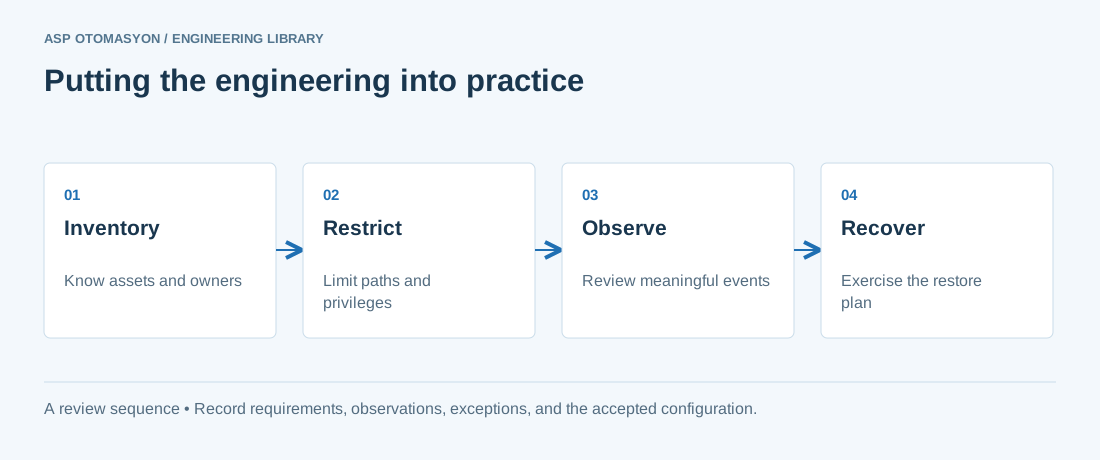
- Identify asset owners, permitted communications, operational dependencies, and consequences of losing the function.
- Test access restrictions and visibility without disrupting plant operations; agree the activity with the OT owner.
- Validate an offline recovery path and document who can authorize isolation, restoration, and return to service.
Follow an ASP project guide to connect the fundamentals with implementation and acceptance.
Primary references and further reading
Use the original specifications and product documentation for implementation details. The examples in this guide are illustrative engineering scenarios, not published project results.