
OT asset inventory — knowing exactly what hardware and software is running on the industrial network — is the foundation of OT security and maintenance. You cannot protect, patch, or even reliably operate systems you do not know exist. Yet many plants have incomplete asset lists assembled from spreadsheets, memory, and chance discoveries during outages. This article explains why a complete, current OT asset inventory is essential, how to build one, and how to keep it accurate over time.
Why Asset Inventory Matters
- Security: unmanaged devices are how attackers enter and move laterally (see IEC 62443); you can only defend what you can see.
- Patch management: you cannot plan patching without knowing what software and firmware versions exist (see ICS Patch Management).
- Risk assessment: vulnerabilities only matter if the asset is actually present.
- Maintenance and lifecycle: end-of-life equipment, spare parts, and obsolescence planning all start from the inventory.
- Compliance: many standards (IEC 62443, NIST SP 800-82, and sector regulations) require an asset inventory.
What to Record
A useful OT asset record goes beyond "IP address and hostname":
| Category | Attributes |
|---|---|
| Identity | Hostname, IP/MAC address, asset tag, location (area, cabinet) |
| Hardware | Vendor, model, serial number, hardware revision |
| Software | Operating system, version, installed applications, firmware version |
| Function | Role (PLC, HMI, historian, gateway, switch), process area served, criticality |
| Ownership | Responsible team, vendor support contract, service schedule |
| Lifecycle | Installation date, warranty/end-of-life dates, patch status |
| Network | VLAN/zone, connections, open ports/services (where known) |
Discovery Methods
1. Passive discovery (safe, continuous)
Passive sensors tap network traffic (via SPAN ports or network taps) and build a picture of devices, protocols, and conversations without sending a single packet to production devices. This is the safest method: it cannot disrupt a PLC. Passive tools identify devices from their traffic signatures and are the recommended baseline for OT.
2. Active discovery (use with care)
Active scanning (ping sweeps, SNMP queries, port scans) probes devices directly. It is faster and reveals more detail (open ports, SNMP OIDs), but it can disturb fragile legacy devices and increase network load. Rules:
- Scan only during approved windows, in a test or low-risk segment first.
- Exclude known-critical and safety devices, or scan them only with the vendor's blessing.
- Use read-only credentials (SNMP read community/version 3) and avoid aggressive scans.
- Never run vulnerability scanners (which send exploit payloads) against production OT without explicit approval.
3. Manual / source-based inventory
Import data from the sources that already exist: switch MAC tables, DHCP leases, DNS, the PLC engineering databases, maintenance records, and the previous spreadsheets. This fills in what network discovery cannot see (e.g., devices on serial links or isolated segments).
Building the Process
- Start with the critical systems. Prioritize: safety systems, DCS/PLC controllers, historians, and gateways first.
- Deploy passive discovery at the network core and at key segments; let it run for weeks to catch intermittent devices.
- Reconcile discovered devices against existing lists; investigate every unknown device — unknowns are either forgotten assets or intruders.
- Store in a CMDB or asset tool that supports custom attributes and change history; a spreadsheet is a starting point, not a destination.
- Connect to change control: every new device or network change updates the inventory as part of the MOC process.
Keeping the Inventory Current
The hard part is not the first inventory; it is keeping it true:
- Continuous discovery: passive sensors run permanently and flag new devices automatically.
- Alerting: new or changed devices generate a review task ("is this device authorized?").
- Periodic audits: reconcile quarterly against switch tables and engineering databases.
- Lifecycle hooks: update firmware/software versions in the inventory when patching or commissioning changes them.
- Ownership: assign an owner for each asset; ownerless assets decay into stale records.
Common Pitfalls
- Relying on active scanning only. The gaps — unmanaged switches, serial devices, temporary laptops — are exactly what passive monitoring sees and active scanning misses or disturbs.
- Inventory as a one-off project. A stale inventory is worse than none: it creates false confidence.
- Ignoring the human element. Contractors and engineers plug in laptops and test rigs; the inventory process must include their devices.
- No criticality field. Without criticality, you cannot prioritize patching and protection.
- Storing incomplete data. An IP-only list does not support patching, risk, or lifecycle decisions.
Summary
A current, complete OT asset inventory is the prerequisite for security, patching, and reliable operations. Build it with continuous passive discovery, supplement with carefully managed active discovery and existing data sources, store it in a tool with change history, and keep it alive through alerting, audits, and change control. Treat every unknown device as either a forgotten asset or a potential intruder — and resolve it either way.
Apply this to your project
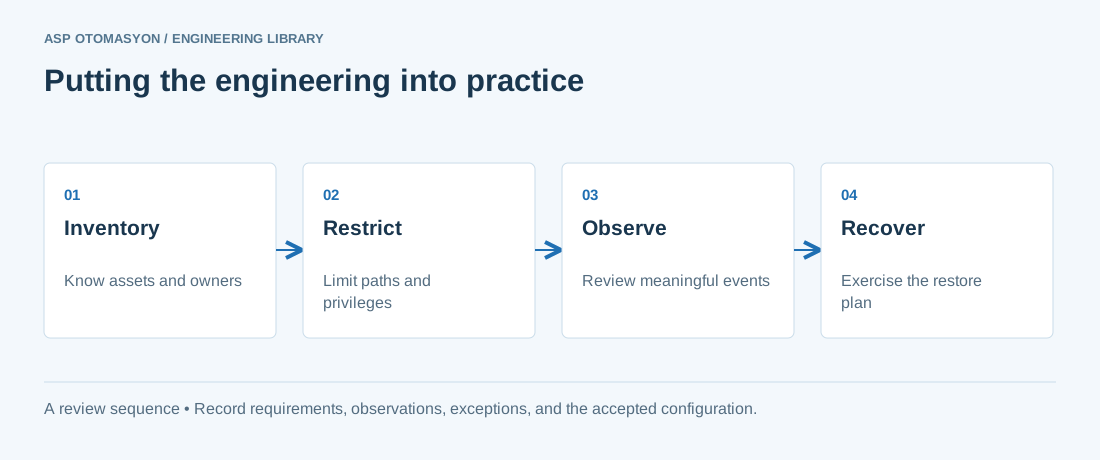
- Identify asset owners, permitted communications, operational dependencies, and consequences of losing the function.
- Test access restrictions and visibility without disrupting plant operations; agree the activity with the OT owner.
- Validate an offline recovery path and document who can authorize isolation, restoration, and return to service.
Follow an ASP project guide to connect the fundamentals with implementation and acceptance.
Primary references and further reading
Use the original specifications and product documentation for implementation details. The examples in this guide are illustrative engineering scenarios, not published project results.