
Writing reliable, maintainable PLC code is critical for industrial automation systems that must operate 24/7 in harsh environments. This guide covers established best practices for PLC programming using the IEC 61131-3 standard, with practical examples applicable to platforms from Siemens, Rockwell, Schneider Electric, and CODESYS-based controllers.
IEC 61131-3 Programming Languages
The IEC 61131-3 standard defines five programming languages for industrial controllers. Choosing the right language for each task is the first step toward clean, maintainable code:
- Ladder Logic (LD) — Best for discrete logic, interlocks, and sequences that mirror relay circuits. Widely understood by electricians and maintenance staff.
- Function Block Diagram (FBD) — Ideal for continuous process control, PID loops, and signal processing. Visual representation of data flow between blocks.
- Structured Text (ST) — A Pascal-like text language best suited for complex algorithms, data manipulation, calculations, and state machines.
- Instruction List (IL) — Assembly-like language, now deprecated in IEC 61131-3 Ed. 4. Avoid for new projects.
- Sequential Function Chart (SFC) — Excellent for batch sequences, step-based processes, and recipe management. Provides clear visualization of process phases.
Code Organization
Well-organized PLC code follows a modular architecture that separates concerns and enables independent testing:
- Organize by Function — Group related logic into Program Organization Units (POUs): one POU per motor, valve, or control loop.
- Use a Main Task Dispatcher — The main program should only call subroutines, never contain control logic directly.
- Separate Safety from Standard — Safety-related logic must reside in dedicated safety programs with clear boundaries.
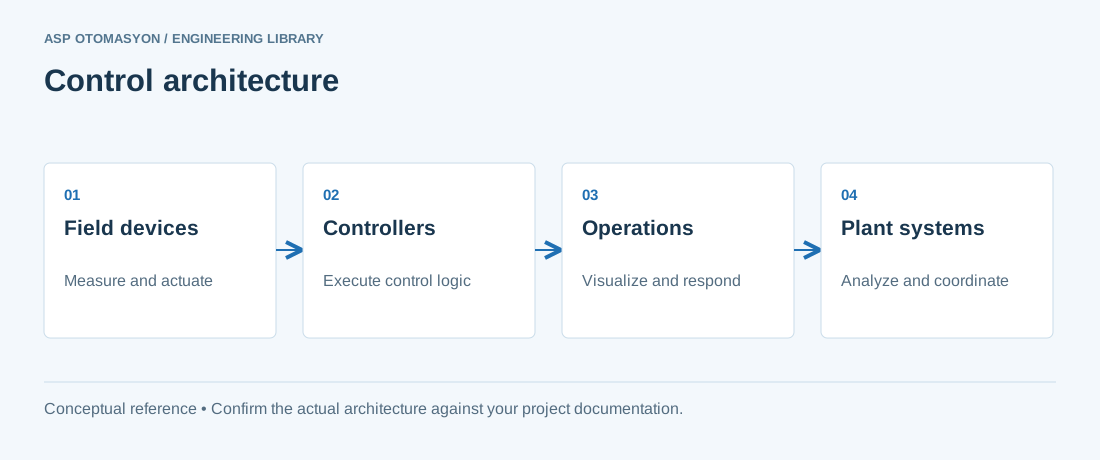
- Layer Your Architecture — Field I/O to Signal Conditioning to Control Logic to Supervisory Setpoints to HMI Interface.
Naming Conventions
Consistent naming makes code self-documenting and searchable. Follow these conventions:
| Element | Convention | Example |
|---|---|---|
| Variables | Prefix + Area + Equipment + Suffix | xP100_Motor01_Run |
| Prefix: BOOL | x (input), y (output), b (internal) | xSensor01, yValve01 |
| Prefix: Analog | i (input), q (output), r (real/internal) | iTT101_PV, rSetpoint |
| Programs | P_ + Area + Function | P_Area01_Motors |
| Function Blocks | FB_ + Equipment Type | FB_MotorControl |
| Constants | c_ + descriptive name | c_MAX_SPEED |
Error Handling Strategies
Robust PLC programs must handle faults gracefully. Implement these patterns:
- Watchdog Timers — Monitor communication timeouts with field devices. If no response within the configured window, set a fault flag and revert to a safe state.
- Range Checking — Validate all analog inputs against instrument range limits. Per NAMUR NE43, values below 3.6 mA or above 21.0 mA on a 4–20 mA signal indicate wiring faults or sensor failures. Values in the 3.6–3.8 mA and 20.5–21.0 mA ranges indicate cautionary zones requiring attention.
- Interlock Prioritization — Safety interlocks must override operator commands. Implement as normally-closed (fail-safe) where possible.
- State Machine Recovery — Every state machine must include an explicit ERROR state with diagnostic information and a defined recovery path.
Structured Text Example: Motor Control
The following Structured Text example demonstrates a reusable motor control function block with fault handling:
FUNCTION_BLOCK FB_MotorControl
VAR_INPUT
    xStart       : BOOL;       // Start command from HMI
    xStop        : BOOL;       // Stop command from HMI
    xFeedback    : BOOL;       // Running feedback from field
    xFaultReset  : BOOL;       // Fault reset command
    tStartDelay  : TIME := T#5S;  // Max time to wait for feedback
END_VAR
VAR_OUTPUT
    yRun         : BOOL;       // Output to motor starter
    xRunning     : BOOL;       // Confirmed running status
    xFault       : BOOL;       // Fault flag
    sFaultMsg    : STRING;     // Fault description
END_VAR
VAR
    xStartPrev   : BOOL;
    tonStart     : TON;
END_VAR

// Detect start command rising edge
xRisingEdge := xStart AND NOT xStartPrev;
xStartPrev := xStart;

// Start delay timer (watchdog)
tonStart(IN := xStartPrev AND NOT xFeedback, PT := tStartDelay);

// Motor output logic
IF xFault THEN
    yRun := FALSE;
ELSIF xStop THEN
    yRun := FALSE;
ELSIF xStartPrev THEN
    yRun := TRUE;
END_IF;

// Fault detection
IF tonStart.Q THEN
    xFault := TRUE;
    sFaultMsg := "Motor failed to start within timeout";
END_IF;

// Fault reset
IF xFaultReset AND xFault THEN
    tonStart(IN := FALSE);  // Reset the watchdog timer
    xFault := FALSE;
    sFaultMsg := "";
END_IF;

// Status output
xRunning := yRun AND xFeedback;
Testing and Debugging
Testing PLC code requires a different approach than software testing:
- Simulate First — Use the PLC vendor simulation environment to test logic before connecting to real hardware.
- Force I/O Carefully — Document all forced signals and remove them before commissioning. Use a force-register log.
- Test Fault Paths — Deliberately trigger each fault condition to verify alarm messages, safe-state behavior, and recovery procedures.
- Use Trend Recording — Record critical variables during testing to analyze timing, ramp rates, and loop performance.
- Peer Review — Have another engineer review control logic before deployment. ASP OTOMASYON enforces peer review on all safety-related code.
Commissioning Checklist
| Step | Task | Status |
|---|---|---|
| 1 | Verify all I/O point-to-point wiring | Pending |
| 2 | Confirm signal conditioning and scaling | Pending |
| 3 | Test all interlocks and safety functions | Pending |
| 4 | Validate alarm messages and priorities | Pending |
| 5 | Tune PID loops (start with conservative gains) | Pending |
| 6 | Remove all forced I/O signals | Pending |
| 7 | Backup final program and document version | Pending |
| 8 | Train operators on new functionality | Pending |
Clean PLC code is not just about making it work — it is about making it maintainable for the next engineer who will modify it at 3 AM during a production outage.
References & Further Reading
- IEC 61131-3: Programmable Controllers — Programming Languages — International standard defining Ladder Diagram, Structured Text, Function Block Diagram, Sequential Function Chart, and Instruction List for PLC programming.
- Siemens TIA Portal Documentation — Official Siemens engineering framework for S7-1200/S7-1500 PLC programming with IEC 61131-3 language support.
- Rockwell Automation Studio 5000 Logix Designer — Official Rockwell Software for ControlLogix/CompactLogix PLC programming, configuration, and diagnostics.
- CODESYS Development System — Official IEC 61131-3 integrated development environment used by ABB AC500, Schneider Electric, and WAGO controllers.
- Schneider Electric EcoStruxure — PLC and SCADA Platform — Official documentation for Schneider Electric's PLC programming environment and industrial software ecosystem.
Make changes reviewable and recoverable
Keep the source project, controller firmware, library versions, and test evidence under a controlled release identifier. Define startup values, retained-state behavior, and recovery after interrupted communications. Test changes against both normal sequences and abnormal inputs in an approved environment. An online comparison is useful, but it does not replace a documented backup and a proven recovery procedure.
Continue with the related practical guide.
Apply this to your project
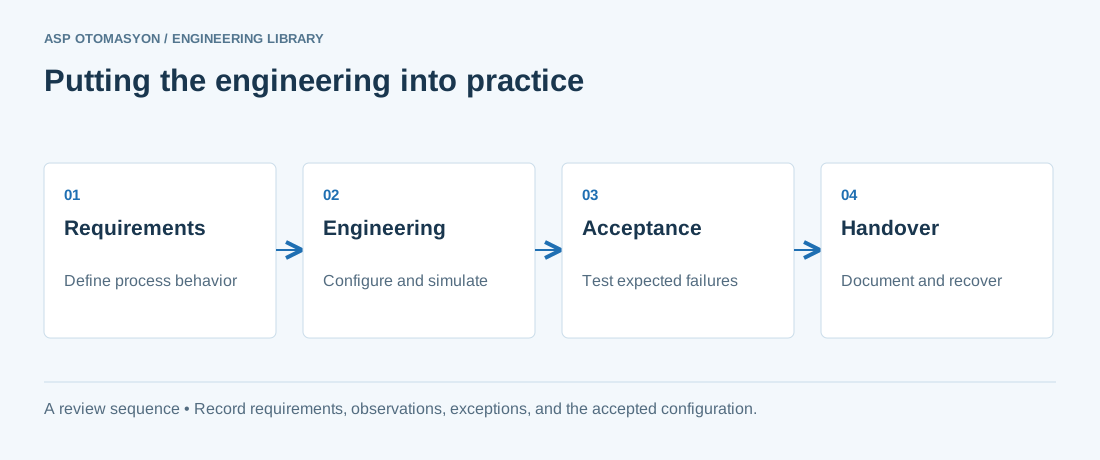
- Define the process states, timing requirements, and permitted behavior after a controller or communication failure.
- List controller, I/O, network, software, and license dependencies before choosing an architecture.
- Record acceptance results and prove that the delivered configuration can be restored from the handover package.
Follow an ASP project guide to connect the fundamentals with implementation and acceptance.
Primary references and further reading
Use the original specifications and product documentation for implementation details. The examples in this guide are illustrative engineering scenarios, not published project results.