
ABB''s AC500 programmable logic controller family is one of the most widely deployed PLC platforms in Europe and the Middle East, with a particularly strong presence in Turkish industrial automation. The AC500 platform spans modular controllers for distributed applications, compact eCo units for cost-sensitive machines, and certified safety controllers for functional safety applications. This article covers the complete ecosystem: hardware selection, Automation Builder software, IEC 61131-3 programming languages, drive integration, and communication protocols.
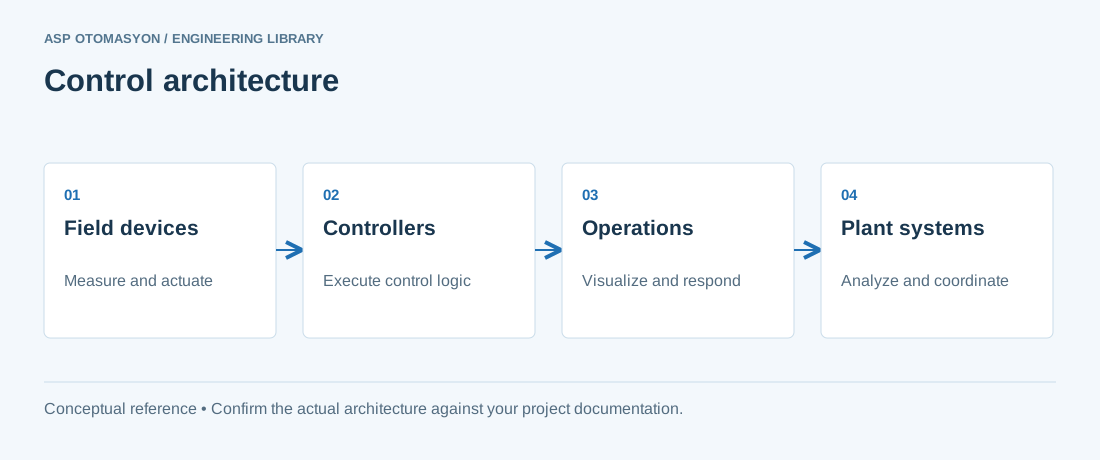
Product Line Overview
The AC500 family consists of three main sub-families, each targeting a different segment of the automation market:
| Feature | AC500 eCo | AC500 Modular | AC500-S Safety |
|---|---|---|---|
| Target application | Compact machines, local I/O | Distributed systems, mid-to-large plants | Safety-critical processes (SIL 2/3) |
| CPU model range | PM50xx (5012, 5032, 5052) | PM56xx, PM57xx, PM58xx | PM50xx-S (e.g., PM5072-S) |
| Max digital I/O (local) | 256 | 1024 (per CPU, expandable via bus) | 256 (safety), expandable with F-modules |
| Max analogue I/O (local) | 64 | 512 | 48 |
| Program memory | 256 KB – 1 MB | 2 MB – 8 MB | 1 MB |
| Cycle time (1K instructions) | ~0.5 µs (PM5052) | ~0.02 µs (PM5832) | ~0.5 µs |
| Communication interfaces | 1x Ethernet, 1x COM, 1x USB | 2x Ethernet, 2x COM, 1x USB, optional FPU | 1x Ethernet, 1x COM, 1x USB |
| Safety standard | N/A (standard only) | N/A (standard only) | EN 61508 SIL 2/3, EN 62061, EN ISO 13849 |
| Operating temperature | -25 to +60 °C | -40 to +70 °C | -25 to +60 °C |
| Typical project size | 200-500 I/O points | 500-5000+ I/O points | Mixed standard/safety |
Automation Builder Software
Automation Builder is ABB''s integrated engineering framework for the AC500, AC500-S, drive, motion, and robot product families. It is built on top of CODESYS 3.5, which means the programming environment, language support, and tooling are shared with the broader CODESYS ecosystem.
Key Features
- Single engineering environment — Configure AC500 CPUs, ABB drives (ACS580, ACS880), servo drives (MotiFlex), and robot controllers from one project tree.
- IEC 61131-3 language support — Full support for all five languages: Ladder Diagram (LD), Function Block Diagram (FBD), Structured Text (ST), Instruction List (IL, legacy), Sequential Function Chart (SFC).
- Continuous Function Chart (CFC) — A graphical language for data-flow-oriented programming; especially useful for drive and process control applications.
- Integrated visualisation — Built-in HMI designer for local panels and web-based operator interfaces.
- Version management — Project comparison, merge, and library versioning built into the IDE.
- Simulation — Full offline simulation of the control program, including I/O forcing and visualisation.
Installation and System Requirements
Minimum requirements:
- Windows 10/11 (64-bit) or Windows Server 2019/2022
- Intel Core i5, 2.5 GHz or higher
- 8 GB RAM (16 GB recommended for large projects)
- 10 GB free disk space for full installation
- Microsoft .NET Framework 4.8
- Screen resolution 1920x1080 or higher

Installation steps:
1. Download Automation Builder from ABB Library (requires MyABB account)
2. Run the installer as Administrator
3. Select the components: AC500 firmware libraries, drive libraries, visualisation
4. Activate the license (node-locked or network license server)
5. Launch Automation Builder and select the target CPU
Hardware Configuration in Automation Builder
Step 1: Create a New Project
- File → New Project → AC500 Project.
- Select the CPU model (e.g., PM5732-ETH for a mid-range modular controller).
- Choose the firmware version — match the firmware loaded on the physical CPU.
- Select the programming language(s) — most projects use a mix of FBD and ST.
Step 2: Configure the Hardware Tree
The hardware tree in Automation Builder mirrors the physical backplane:
AC500_Station (PM5732-ETH)
├── CPU PM5732-ETH (192.168.1.10)
├── Slot 1: DI561 (16x Digital Input, 24 VDC)
├── Slot 2: DO541 (16x Digital Output, 24 VDC, 0.5 A)
├── Slot 3: AI523 (8x Analogue Input, 4-20 mA, 16 bit)
├── Slot 4: AO522 (4x Analogue Output, 0-10 V, 16 bit)
├── Slot 5: COM1 — CM572-SI (Serial Interface, Modbus RTU Master)
├── Slot 6: COM2 — CM574-RS (Serial Interface, PROFIBUS DP Master)
├── Slot 7: CM575-ETH2 (Second Ethernet interface)
└── Slot 8: TB521 (Terminal block extension)- Add I/O modules — Right-click the backplane slot and select the module from the catalogue. The software automatically assigns I/O addresses.
- Configure module parameters — Set input filters, output behaviour on CPU stop, and diagnostic enable flags per module.
- Set I/O addressing — ABB uses a slot-based addressing scheme:
%IW3.2.1(Input Word, Slot 3, Channel 2, Sub-index 1). Automation Builder handles this automatically unless you need fixed addressing for legacy compatibility.
Step 3: Network Configuration
- IP address assignment — Set the CPU''s IP address, subnet mask, and default gateway. The ETH interface is typically on the plant network (192.168.1.x). The second Ethernet interface (CM575-ETH2) can be on a separate machine network.
- DNS and hostname — Optional, but useful for large networks with name resolution services.
- Time synchronisation — Enable SNTP client to synchronise the CPU clock with a plant-wide NTP server.
IEC 61131-3 Programming
Automation Builder supports all five IEC languages. In practice, we recommend the following language selection strategy:
| Application Type | Recommended Language | Rationale |
|---|---|---|
| Discrete logic (conveyors, pick-and-place) | Ladder Diagram (LD) | Electricians and maintenance technicians read LD easily. |
| Process control (PID, cascade, feedforward) | Function Block Diagram (FBD) | Data flow is visually explicit; easy to trace signal paths. |
| Complex calculations (modelling, statistics) | Structured Text (ST) | Efficient for mathematical expressions and arrays. |
| Sequential operations (batch, recipe) | Sequential Function Chart (SFC) | State machine representation matches batch process logic. |
| Drive communication (fieldbus data mapping) | Continuous Function Chart (CFC) | Handles complex data structure mapping intuitively. |
Example: Structured Text PID Control
PROGRAM FB_MixTankControl
VAR
    rPV           : REAL;       -- Process variable (level)
    rSP           : REAL;       -- Setpoint
    rOP           : REAL;       -- Output to control valve
    fbPID         : PID_P;      -- ABB PID function block instance
    rManualOP     : REAL := 50.0;
    xAutoMode     : BOOL := TRUE;
END_VAR

-- PID control logic
IF xAutoMode THEN
    fbPID(
        PV     := rPV,
        SP     := rSP,
        GAIN   := 1.5,
        TI     := T#30s,
        TD     := T#0s,
        CYCLE  := T#100ms
    );
    rOP := fbPID.OP;
ELSE
    rOP := rManualOP;
END_IF

rOP := LIMIT(rOP, 0.0, 100.0);
Drive Integration (ACS880 / ACS580)
ABB drives are configured directly within Automation Builder using the Drive Configuration Tool (DCT). This eliminates the need for a separate drive configuration package.
Integration Workflow
- Right-click the project tree → Add Device → ABB Drive → select ACS880.
- Set the drive node ID on the fieldbus (e.g., Modbus TCP node 10, or PROFINET device number).
- The DCT reads the drive''s parameter structure and makes every parameter accessible as a PLC variable.
- Map drive parameters to PLC variables using the Data Mapping Editor:
PLC_Var Drive Parameter ──────────────────────────────────────────────────── rDrive_SpeedRef_1 ⟶ ACS880.SPEED.REF1 (P.19.03) rDrive_SpeedActual ⟶ ACS880.SPEED.ACTUAL (P.1.02) xDrive_Running ⟶ ACS880.STATUS.RUNNING (P.6.11) xDrive_Fault ⟶ ACS880.STATUS.FAULT (P.6.14) - Download the project — the drive configuration is sent together with the PLC program.
Key Drive Parameters for AC500 Integration
| Parameter | ACS880 Number | ACS580 Number | Description |
|---|---|---|---|
| Fieldbus protocol | P.10.01 | P.10.01 | Select Modbus TCP / PROFINET / EtherNet/IP |
| Fieldbus node ID | P.10.02 | P.10.02 | Unique node number on the bus |
| Speed reference 1 | P.19.03 | P.19.03 | Speed setpoint from PLC (scaled 0-100% = 0-max rpm) |
| Actual speed | P.1.02 | P.1.02 | Measured motor speed, read by PLC |
| Current actual | P.1.03 | P.1.03 | Motor current, for load monitoring |
| Fault word | P.6.14 | P.6.14 | Bit-coded fault indication |
| Control word | P.6.01 | P.6.01 | Start/stop/reset commands from PLC |
| Status word | P.6.11 | P.6.11 | Ready/running/faulted status to PLC |
Communication Protocols
PROFINET IO
- Use the CM575-PNIO or CM577-PNIO communication module.
- Configure PROFINET IO Controller mode (the AC500 acts as the IO controller, managing up to 128 IO devices).
- Use the GSDML file from the IO device manufacturer to import device description.
- Set the update rate (1-512 ms) per device. For drives, 4-8 ms is typical. For remote I/O, 16-32 ms.
EtherNet/IP
- Use the CM577-ENIU communication module or the built-in Ethernet port on newer CPUs.
- AC500 supports both Scanner (originator) and Adapter (target) modes.
- Configuration is done via EDS file import in Automation Builder.
- Typical RPI values: 50-200 ms for discrete I/O, 10-50 ms for drive control.
Modbus TCP
- Supported on all AC500 CPUs with built-in Ethernet.
- Automation Builder provides pre-built function blocks:
MB_ClientandMB_Server. - MB_Client (Master) can read/write to any Modbus TCP device.
- MB_Server (Slave) exposes AC500 I/O and memory as Modbus registers for SCADA or HMI connectivity.
-- Modbus TCP client example - read holding registers
PROGRAM ReadModbusDevice
VAR
    fbMBRead   : MB_Client_ReadHoldReg;
    xTrigger   : BOOL := TRUE;
    arrData    : ARRAY[0..9] OF WORD;
    xDone      : BOOL;
    xError     : BOOL;
    eErrorID   : MB_Error;
END_VAR

fbMBRead(
    Execute     := xTrigger,
    UnitID      := 1,
    IPAddress   := "192.168.1.50",
    Timeout     := T#500ms,
    Quantity    := 10,
    DataPtr     := ADR(arrData)
);
xDone  := fbMBRead.Done;
xError := fbMBRead.Error;
eErrorID := fbMBRead.ErrorID;
Redundancy Options
For high-availability applications, the AC500 family offers two redundancy approaches:
CPU Redundancy (Hot-Standby)
- Two identical AC500 CPUs (e.g., PM5822-ETH) are connected via a synchronisation link.
- One CPU is Active, the other is Standby. The standby CPU mirrors the active CPU''s memory, I/O state, and communication connections.
- If the active CPU fails, the standby takes over within one scan cycle. OPC UA and fieldbus connections are seamlessly transferred.
- Configuration is done in Automation Builder by enabling Redundancy in the CPU properties.
Network Redundancy (MRP / RSTP)
- Ethernet communication to and from the AC500 can be made redundant using Media Redundancy Protocol (MRP, IEC 62439-2) or Rapid Spanning Tree Protocol (RSTP, IEEE 802.1w).
- MRP guarantees reconvergence in less than 10 ms (for ring topologies up to 50 switches).
- Configure the AC500''s Ethernet port as an MRP client in the hardware configuration.
Firmware Updates and Backup
# Automation Builder command-line tool for firmware updates
ABBControlCmd backup --target 192.168.1.10 --file backup_AC500.bin
ABBControlCmd update-firmware --target 192.168.1.10 --file PM5732_V3.4.0.bin
ABBControlCmd restore --target 192.168.1.10 --file backup_AC500.bin
ABBControlCmd info --target 192.168.1.10
Best Practices for AC500 Projects
- Version control your Automation Builder project — The project file (.ac5proj) is XML-based and version-control-friendly. Use Git or SVN.
- Use structured variable naming — Follow IEC 61131-3 convention:
rTankLevel_PV,xMotor01_Running. Prefix conventions (r=real, x=bool, fb=function block) make code self-documenting. - Separate program organisation units (POUs) — Split logic into manageable POUs: one for motor control, one for valve control, one for PID loops, one for communication.
- Use library versions — When using ABB libraries (PID, Modbus, DriveControl), pin them to a specific version. Do not use "latest" in production projects — a library update could change behaviour.
- Download and test in simulation first — Automation Builder''s simulation mode catches most syntax errors and logic bugs before they reach the plant floor.
Key takeaway: The ABB AC500 platform offers a complete automation solution from a single vendor — PLC, drives, safety, and visualisation — all engineered in Automation Builder. Its strong suit is the tight integration with ABB drives and the scalable hardware range from compact eCo to high-performance redundancy systems. For Turkish industrial automation professionals working with ABB equipment, the AC500 ecosystem provides a reliable, well-supported platform that reduces engineering time and simplifies lifecycle management.
References & Further Reading
- ABB AC500 — Programmable Logic Controller Platform — Official ABB product page for the AC500 PLC family, including hardware specifications, CPU models, I/O modules, and communication interfaces.
- ABB Automation Builder — Integrated Engineering Software — Official ABB documentation for Automation Builder, the IEC 61131-3 engineering framework for AC500 PLCs, drives, and motion controllers based on CODESYS.
- CODESYS — IEC 61131-3 Development Environment — Official CODESYS documentation providing the underlying IEC 61131-3 development platform on which ABB Automation Builder is built.
- IEC 61131-3 — Programmable Controllers — Programming Languages — International standard defining Ladder Diagram, Function Block Diagram, Structured Text, Sequential Function Chart, and Instruction List languages supported by the AC500 platform.
- ABB ACS880 — Industrial AC Drive Integration with AC500 — Official ABB drive documentation covering the integration of ACS880 drives with AC500 PLCs via Automation Builder and fieldbus protocols.
Apply this to your project
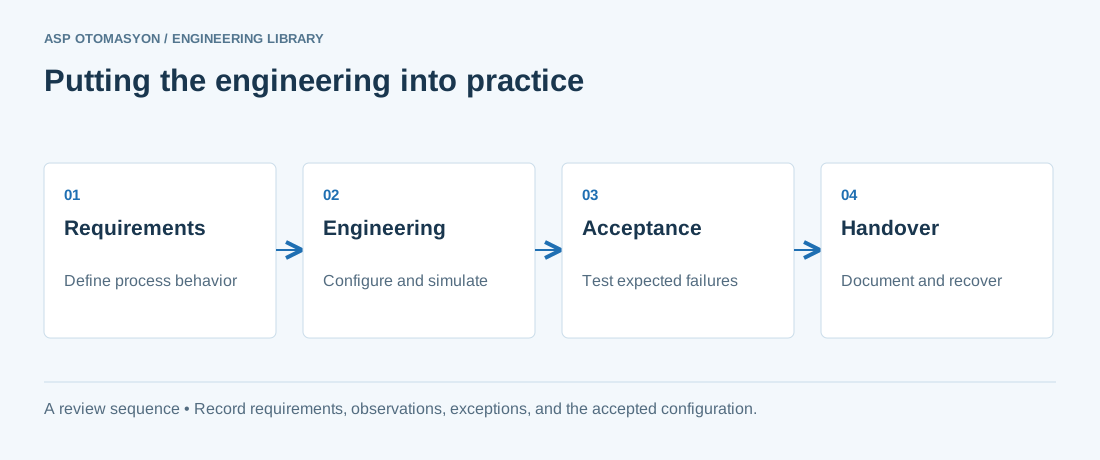
- Define the process states, timing requirements, and permitted behavior after a controller or communication failure.
- List controller, I/O, network, software, and license dependencies before choosing an architecture.
- Record acceptance results and prove that the delivered configuration can be restored from the handover package.
Follow an ASP project guide to connect the fundamentals with implementation and acceptance.
Primary references and further reading
Use the original specifications and product documentation for implementation details. The examples in this guide are illustrative engineering scenarios, not published project results.