
OT access works best with named identities, roles matched to jobs, and MFA placed at remote entry points rather than at every operator console.
Identity in OT differs from IT in ways that matter. Operators share logins at shared consoles, HMIs carry local accounts, and many controllers have no individual accounts at all. A directory outage can lock people out of the process, and a password policy designed for office laptops can cause harm on a machine that cannot be stopped for a reset. NIST SP 800-82 Rev. 3 names several of these constraints directly.
This article covers OT-specific problems, a role model, directory placement, MFA, privileged access, break-glass access, and the joiner-mover-leaver process. NIST SP 800-63B-4 is written for government systems, so use it as a benchmark for factor strength rather than as a rule for plants. Decisions that affect safety functions belong with qualified engineers and the applicable standard.
What makes OT identity different
Each condition below should be recorded in the risk assessment with a chosen compensating control.
- Shared operator logins. A shared login removes the ability to tell who did what. NIST notes that shared credentials limit positive identification of the person, process, or device that accessed a resource.
- Group passwords per access level. Some OT operating systems allow only group passwords at each access level, so individual accountability has to come from the surrounding controls.
- No recovery path. Many OT systems offer no password recovery, so a lost password can stop a line. Keep an approved recovery route and handle credentials with care.
- Policies that disrupt operations. Without an exclusion list based on machine identity, policies such as auto-logoff and administrator password replacement can be pushed down to OT systems, which NIST says can be detrimental.
- Dependence on IT services. Check what the plant does during an IT outage if it needs corporate directory or certificate services.
Design roles that match the job
Use a small set of roles rather than individual exceptions. Role-based access control supports least privilege and separation of duties, and it reduces the cost of maintaining per-device access levels. Each role should map to the zones, access paths, and functions it needs. The table gives an example role model that a site can adapt. Ownership of each role belongs in the ICS security governance policy set.
| Role | Typical scope | Access path | Key control |
|---|---|---|---|
| Operator | Run the line, acknowledge alarms, change set points within limits | Local console, with an individual login where the system supports it | Individual account where possible; limited functions; no logic changes |
| Engineer | Program and configure controllers and HMIs under approved change | Engineering workstation in the cell zone | Named account; change record; session logging |
| Maintenance technician | Diagnose and replace devices; calibrate instruments | Local maintenance panel or temporary workstation | Time-limited role; logged use of local devices |
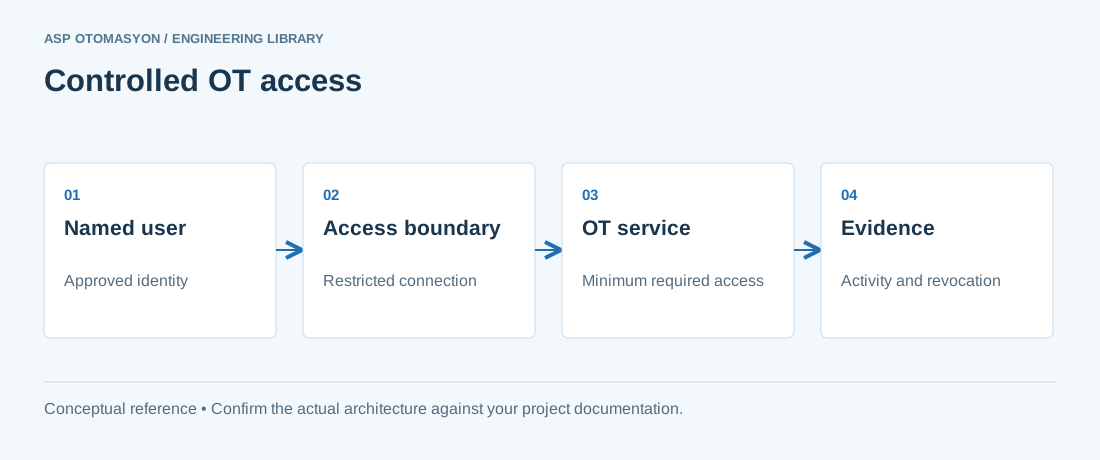
| Vendor or integrator | One support task under contract | Remote path through a jump host, on approval | Named vendor identity; time limit; recorded session; MFA |
| Analyst or auditor | Read-only views of data and logs | Historian or log platform outside the control zones | Read-only role; no path into control zones |
Place directory services with care
Authentication for the control zone should keep working when the corporate network is down. One pattern is a read-only directory replica or local account store in the OT DMZ, synchronized from the corporate directory on a documented schedule. Another is local accounts on critical workstations, kept in step with the directory by a defined process. Whichever pattern is chosen, document which systems stop authenticating during an IT outage and what operations does about it. NIST SP 800-82 Rev. 3 raises the same concern for smart-card systems: check the impact on OT operations when IT services are needed.
Put MFA where remote risk enters
NIST SP 800-82 Rev. 3 describes MFA as an accepted best practice for remote access to OT applications. It also notes that local access may rely on a user ID and password when physical access controls mitigate the risk. That split is a practical rule: strong MFA at the remote entry point, the jump host, and every vendor or off-site path, and a documented, risk-accepted local policy at the console backed by physical controls. Secure remote access for OT covers the path design in more detail.
NIST SP 800-63B-4 defines AAL2 as proof of two distinct authentication factors and requires a phishing-resistant option at that level. Its scope is government systems, so treat it as a benchmark for the factors you choose.
- List every path into each zone. Include the local console, engineering workstation, vendor gateway, historian replication, and remote administration.
- Mark remote and privileged paths. These require MFA, and their recovery route must be defined before go-live.
- Document local exceptions. For local consoles, record the physical control and the single-factor decision, and have the risk owner sign it.
- Test the MFA path. Include the process for a lost token or device, and confirm that it does not depend on the failed path.
Privileged access, session recording, and credential vaulting
Engineering workstations and remote sessions are where a single account can change the process. Privileged access management routes those sessions through a broker that issues time-limited access, records the session, and removes access when the task ends. NIST says privileged account passwords need stronger protection, more frequent change, and extra physical safeguards, and it recommends monitoring remote activity. Device-side settings for these accounts are covered in SCADA system security hardening.
- Credential vault. Store device and PLC passwords in an access-controlled vault, with the people who need them named and each reveal logged.
- Session recording. Record engineering and vendor sessions, and keep the records where the session user cannot alter them.
- Expiry. Use automatic timers to remove access, or a change process that confirms removal, as NIST suggests.
- Shared accounts. Where a shared account must remain, add a second control such as physical access records, because anomalous use is harder to see on shared accounts.
Break-glass and fallback access
Every OT site needs a controlled way in when the normal path fails, such as an unavailable directory or a controller that has lost its only password. Break-glass accounts provide it. Keep them disabled in normal operation, store the credentials sealed in a secure location with limited access, and require two people to reveal them where the site allows. NIST recommends storing copies of shared or administrator passwords in a secure location that is accessible in an emergency.
- Emergency use only. Alert every time the account is enabled or used, and record the reason.
- Rotate after use. Change the credential after each use and record who was involved.
- Test the fallback. Include the break-glass path in recovery exercises, including how a stopped line restarts without an online directory.
Joiner, mover, leaver, and review
The steps below apply to people, vendors, and service accounts.
- Joiner. Create the identity with the role approved by the line manager and the OT owner. Require training before the first engineering session.
- Mover. Remove the old role on transfer, not only add the new one.
- Leaver. Disable accounts, revoke vault entries, and change any shared passwords the person knew. NIST recommends changing passwords when someone with access leaves the organization.
- Review. Compare accounts and roles against the approved list at an interval set by the risk assessment, and keep the review record with its exceptions.
Apply this to your project
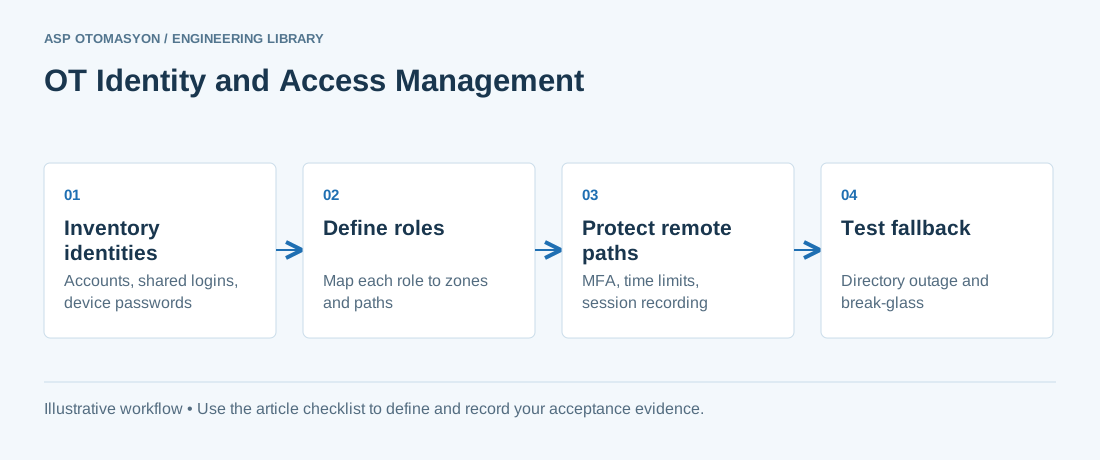
- Every local account, shared login, and controller password inventoried, with its owner and vault status.
- Role model documented, with each role mapped to zones, access paths, and functions.
- Remote and vendor paths confirmed to require MFA and to run through a logged, time-limited route.
- OT zone tested to authenticate and operate during a simulated corporate directory outage.
- Break-glass credentials confirmed sealed, alerted on use, and rotated after each use.
- One joiner, mover, and leaver case run end to end, with the evidence kept.
- Account review completed against the approved list, with exceptions recorded against a named risk owner.
Follow an ASP project guide to connect the fundamentals with implementation and acceptance.
Frequently asked questions
Can OT operators keep shared logins?
Sometimes. Where a system offers only group passwords at an access level, a shared login may be the only console option. Document it as a risk-accepted exception, pair it with physical access controls and an operator logbook, and move to individual accounts wherever the platform allows. NIST notes that shared credentials limit positive identification, so the risk owner should accept the exception in writing.
Does every HMI need MFA?
Usually not. MFA is most valuable on remote and privileged paths: jump hosts, vendor access, and remote administration. NIST SP 800-82 Rev. 3 treats MFA as an accepted best practice for remote access to OT applications and allows local access to rely on a user ID and password when physical controls mitigate the risk. Put the strongest controls where access comes from outside the plant.
What is a break-glass account in OT?
It is a privileged emergency account that is normally disabled and stored sealed. It is used only when the normal path has failed. Each use should trigger an alert, a logged reason, and a password change afterwards. It keeps the line recoverable when the directory or vault is unavailable, and it must be tested as part of recovery exercises.
Should OT authenticate against the corporate directory?
It can, if the control zone keeps working when the corporate network does not. Use a read-only replica or local store in the OT DMZ, or local accounts on critical stations, and document which systems stop authenticating during an IT outage. Dependence on IT services should be checked against its operational consequences before it is accepted.
Do PLCs need individual user accounts?
Only where the platform supports them. Many controllers offer limited or group-level authentication, so the control usually sits in the engineering path: named engineers, vaulted device passwords, and recorded sessions. Where a device cannot support individual accounts, record the limitation in the risk assessment and compensate in the surrounding zone.
Continue the engineering work
- Secure Remote Access for OT Environments
- OT Vendor Remote Access: An Approval and Closeout Workflow
- SCADA System Security Hardening
- ICS Security Governance: Policies, Procedures and IEC 62443-2-1
- OT Security Architecture: Defense in Depth for Industrial Networks
Browse the related technical library or follow an ASP project guide to plan the implementation sequence.
Primary references and further reading
Use the original specifications and product documentation for implementation details. Examples in this guide are illustrative engineering scenarios, not published project results.