
Migrating from OPC DA to OPC UA is one of the most common infrastructure projects in industrial IT. OPC DA (Data Access) has served industry for more than two decades, but it is built on Microsoft COM/DCOM, which ties it to Windows, complicates remote access, and is increasingly difficult to secure and support. OPC UA (Unified Architecture) was designed to replace it: it is platform-independent, secure by default, and carries not only live data but also metadata, history, alarms, and methods. This article explains what changes in a migration, what can stay the same, and how to plan a move without disrupting production.
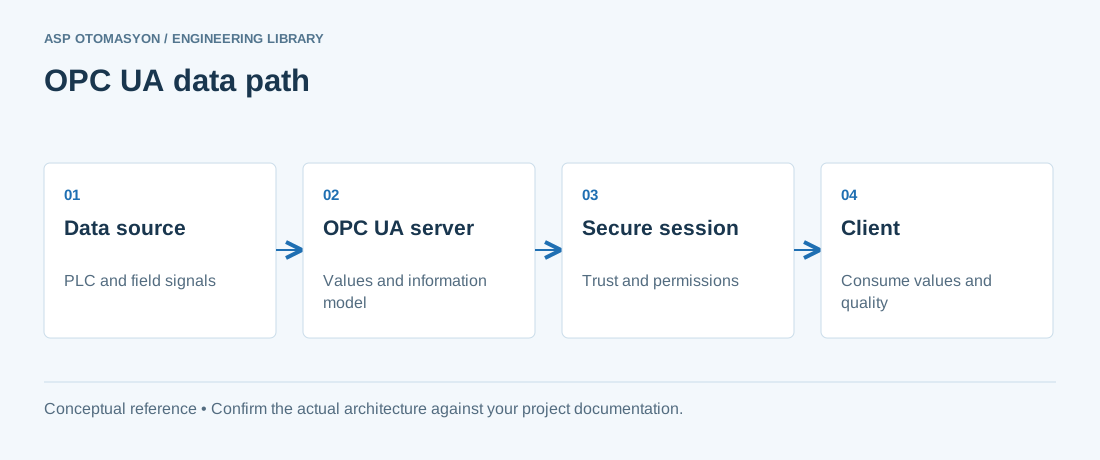
OPC DA vs. OPC UA at a Glance
| Property | OPC DA (Classic) | OPC UA |
|---|---|---|
| Transport | COM/DCOM (Windows only) | TCP, HTTPS, WebSocket (any platform) |
| Security | DCOM configuration, little built-in | Built-in: certificates, TLS, signing/encryption, user authentication |
| Data model | Flat tag lists with value/quality/timestamp | Full information model: objects, variables, methods, references |
| Data types | COM variants, limited | Rich type system with arrays, structures, enums |
| History, alarms, methods | Separate specs (HDA, A&E) | Integrated in one address space |
| Discovery | DCOM registry | Local discovery server + network discovery (LDS-ME) |
The most important practical differences are the security model and the fact that OPC UA clients and servers no longer need to run on the same Windows machine or domain.
Why Migrate Now
- Windows and DCOM support is shrinking. Modern Windows versions make DCOM remote access progressively harder; some vendors are dropping DA server support entirely.
- Security. DCOM configuration is error-prone and a known attack surface; OPC UA provides certificate-based authentication and encrypted communication out of the box.
- Platform freedom. UA clients run on Linux, embedded devices, and cloud services — enabling edge and cloud integration without Windows servers.
- Richer data. UA carries structured data, engineering units, and metadata that make integration with historians, MES, and analytics far easier.
Migration Strategies
1. Wrapper / gateway (lowest risk)
Install an OPC DA-to-UA gateway (from vendors such as Kepware/KEPServerEX, Matrikon, or Software Toolbox, or a UA server with DA compatibility) that exposes existing DA tags as UA nodes. Clients are switched from DA to UA against the gateway while the underlying DA servers remain untouched. This is a quick win for eliminating DCOM, but it keeps the DA layer and may carry a small performance and maintenance cost.
2. Native upgrade (preferred for new projects)
Replace DA servers with native UA servers. Most major vendors — Siemens, Rockwell, ABB, Schneider, Honeywell, and OPC middleware vendors — now ship UA-native products. The address space is designed from the start: structured tags, units, descriptions, and security are configured once, and all clients share the same information model.
3. Phased hybrid
For large estates, migrate by area or by client: keep DA for legacy clients that cannot change, expose the same data via UA for new systems, and decommission DA segments as their consumers are retired.
Step-by-Step Migration Plan
- Inventory. List every DA server, its tags, its clients, and the data flows that depend on it. Include DCOM dependencies (which machines must reach which).
- Classify. Group by risk: read-only historians vs. live control-facing clients; batch vs. continuous processes; redundant pairs that must switch together.
- Choose the target. Select the UA server product and the information model layout (folder structure, tag names, data types, units).
- Map tags. Build a mapping table: DA item path → UA node. Preserve names where possible so HMI screens and historians do not need changes.
- Set up security. Generate certificates for servers and clients, establish trust, and choose signing/encryption per data flow. Create user accounts or use the UA server's user authentication for restricted areas.
- Test in a lab. Verify data types (INT vs. UINT, REAL vs. DOUBLE), deadbands, quality semantics, and timestamp behavior against the real devices.
- Pilot one area. Migrate one non-critical line or process unit, compare live values against the DA path, and run it for a stabilisation period.
- Roll out in windows. Cut over area by area during scheduled windows, keeping the DA path available until each consumer is confirmed.
- Decommission. Remove DCOM permissions, uninstall DA servers, and archive the mapping documentation.
Common Pitfalls
- Quality and timestamp semantics. DA quality is an integer code; UA quality is a richer structure. Ensure the gateway or server maps them consistently and that clients interpret them correctly.
- Data type mismatches. A DA "VT_I4" may map to Int16, Int32, or UInt32 in UA depending on the server. Verify with a few representative tags before broad cutover.
- Deadband differences. DA deadbands are often percent-of-range; UA supports absolute and percent deadbands per node. Reconfigure to preserve polling behavior and network load.
- Certificate renewals. UA certificates expire; plan renewal with downtime or use servers that support online certificate update.
- Forgotten DCOM clients. Some legacy HMIs and Excel-based tools can only speak DA. Budget for wrappers or replacement of those clients.
Summary
OPC UA is the industry's direction of travel: secure, platform-independent, and information-rich. A migration from DA to UA is best treated as a managed project — inventory, classify, pilot, and roll out in waves — rather than a big-bang replacement. When the DA layer is removed, the plant gains a communication infrastructure that is easier to secure, easier to extend to edge and cloud, and supported by the whole ecosystem.
Apply this to your project
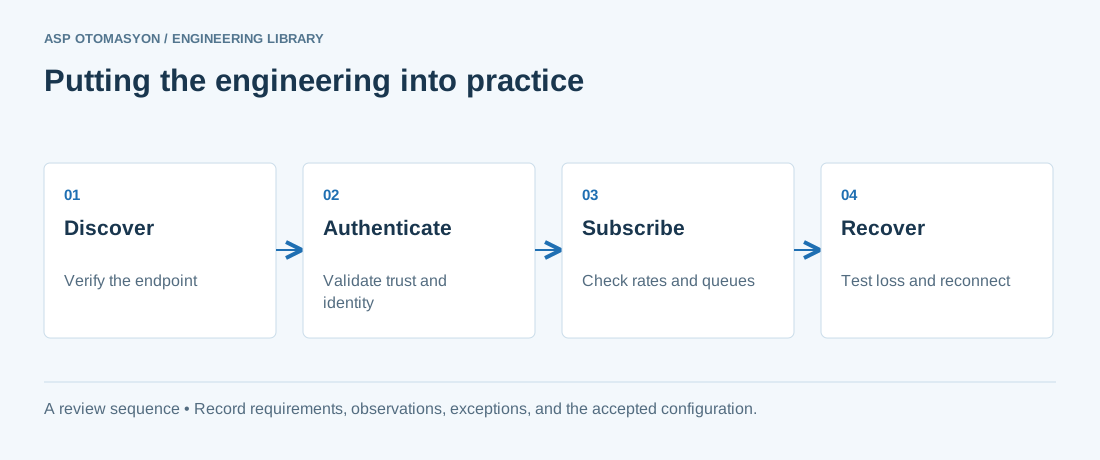
- Record the endpoint, supported security policies, application identity, certificate expiry, and user permissions.
- Verify the value, engineering unit, StatusCode, and source timestamp together at the receiving application.
- Test disconnection and recovery with representative subscriptions; preserve evidence of any data gaps or repeated values.
Follow an ASP project guide to connect the fundamentals with implementation and acceptance.
Primary references and further reading
Use the original specifications and product documentation for implementation details. The examples in this guide are illustrative engineering scenarios, not published project results.