
Before Ethernet, there was serial: the point-to-point and multi-drop electrical interfaces (RS-232, RS-422, RS-485) that still connect printers, scales, barcode scanners, VFDs, and thousands of legacy instruments to control systems. Serial communication looks primitive — a few volts on two or four wires — but its electrical rules are precise, and most serial failures are electrical violations, not software bugs. Understanding the three standards and their practical behavior is still essential for every automation engineer.
The Three Standards
| Standard | Signal type | Topology | Distance | Typical use |
|---|---|---|---|---|
| RS-232 | Single-ended (voltage vs ground) | Point-to-point, one device | ~15 m at low baud | Console ports, modems, short device links; simplest, most fragile. |
| RS-422 | Differential, 4-wire (full duplex) | One transmitter, up to 10 receivers | ~1,200 m | Instruments and systems needing longer, more robust point-to-multipoint receive links. |
| RS-485 | Differential, 2-wire (half duplex) or 4-wire | Multi-drop bus, up to 32 unit loads | ~1,200 m | Modbus RTU, PROFIBUS, and general multi-drop device buses — the industrial workhorse. |
The differential standards (RS-422/485) win on distance and noise immunity because the receiver measures the difference between two wires, not a level against ground — the interference cancels when it couples equally to both wires.
The Parameters: Baud, Data, Parity, Stop
Every serial link is configured with the same four parameters, and both ends must match exactly:
- Baud rate — bits per second (9600, 19200, 38400, 115200 typical). Both ends must agree; a mismatch produces garbage or silence.
- Data bits — usually 8 (7 for some legacy protocols with parity-based data).
- Parity — even, odd, or none: one error-detecting bit. Even/odd catches single-bit errors; none is common on modern links with CRC-based protocols (Modbus has its own CRC).
- Stop bits — 1 or 2, marking the end of a character.
The configuration is the protocol's contract: Modbus RTU is typically 8N1 or 8E1; getting the parameters wrong is the most common "serial doesn't work" cause — and the easiest to verify (read the device's configuration label or its documentation).
Handshaking and Flow Control
Hardware handshake lines (RTS/CTS, DTR/DSR on RS-232) manage flow between devices: the receiver asserts CTS when it can accept data. Many modern links run no handshaking (3-wire: TX, RX, GND) because the protocol itself (or the software) manages the flow — but the null-modem wiring (which pin talks to which) must match both ends. The classic failure: TX wired to TX, or a device waiting for CTS that never comes. When a link is silent, verify the wiring diagram of both connectors before suspecting the software.
Practical Installation Rules
- RS-232: keep it short, keep it away from power, and use a proper cable; long RS-232 runs at high baud are unreliable by physics.
- RS-485: twisted pair, 120 Ω termination at both ends, biasing, common ground reference, daisy-chain topology — the full discipline from the Modbus RTU article applies to every RS-485 bus, whatever the protocol.
- Use proper connectors and strain relief; serial cables are the most flexed, most abused cables in the plant.
- Galvanic isolation (isolated converters) where devices are far apart or in different electrical environments — the fix for the ground-loop damage that kills serial ports.
Diagnosing Serial Links
- Verify the configuration — baud/data/parity/stop against the device documentation.
- Verify the wiring — TX/RX crossed where required, ground connected, handshake lines correct.
- Loopback test — short the device's TX to RX (or use a loopback plug): if the port echoes, the port works; the fault is elsewhere.
- Monitor the traffic — a USB-serial analyzer (or the protocol tool) shows whether frames are flowing and whether the bytes look right; a repeating frame with a bad CRC is an electrical problem (termination, noise), not a configuration problem.
- Isolate by replacement — swap the cable (flexed cables fail intermittently), then the converter, then the device.
Summary
Serial communication is the oldest industrial network and still everywhere: RS-232 for short point-to-point, RS-422 for robust longer links, RS-485 for multi-drop buses. Match the parameters on both ends, wire the differential pairs with termination and grounding discipline, keep the cables short and clean, and diagnose with loopbacks and protocol analyzers. Serial links are simple — which is exactly why the details are unforgiving.
Apply this to your project
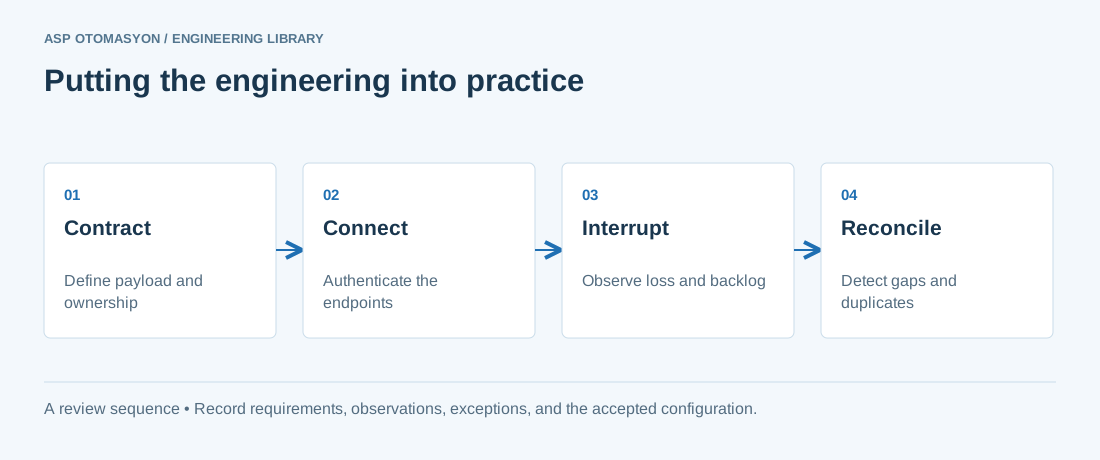
- Specify payload structure, units, identity, time semantics, access permissions, and protocol versions.
- Test backlog growth, connection loss, duplicate delivery, and restart behavior at the consuming application.
- Document how operators see failures and how the system distinguishes replayed data from current process state.
Follow an ASP project guide to connect the fundamentals with implementation and acceptance.
Primary references and further reading
Use the original specifications and product documentation for implementation details. The examples in this guide are illustrative engineering scenarios, not published project results.