
Operators of complex process plants make their most important decisions rarely and under pressure: startup, shutdown, abnormal situations, and emergencies — events that happen every few months or years, with no rehearsal. Operator Training Simulators (OTS) provide that rehearsal: a dynamic model of the process, driven in real time, connected to a copy of the actual DCS/SCADA displays, so operators practice the real interface on a simulated process. OTS is standard practice in refineries, chemicals, and power — and increasingly in plants that want their control-room teams ready for anything.
What an OTS Contains
- Process model — a first-principles dynamic simulation of the process (mass, energy, momentum balances) covering the operating envelope: normal operation, turndown, startups, and the failure modes the training must cover. Model fidelity is matched to the training goals — a full dynamic model for procedure training, a simpler one for control-room orientation.
- Control system replica — the same DCS/SCADA graphics and logic as the plant, or a faithful emulation; the operator must practice on the exact screens, alarms, and navigation they will face.
- Instructor station — the instructor's console: run/pause/freeze the simulation, inject faults (pump trip, instrument failure, utility loss), change process conditions, and record the session for review.
- Scenario library — scripted sessions: normal startup, shutdown, specific malfunctions, and emergencies — each with defined initial conditions and success criteria.
The Payoff
The measurable value of OTS training is well documented in process safety literature: operators trained on simulators respond faster and more correctly to abnormal situations, startup times shorten, and the "first time on the real unit" mistakes — the most expensive class of operator error — move into the simulator where they cost nothing. For new plants, an OTS built during engineering doubles as a control-system test bed: logic, graphics, and alarm behavior can be validated before the plant exists. For existing plants, it is the only place operators can safely experience the failure modes that matter most.
Building an OTS Program
- Define the training objectives — which scenarios, which roles (operators, supervisors, control-room vs field), which frequency. Objectives determine model scope; a simulator built without objectives is a demo.
- Scope the model — full-plant dynamic models are expensive; unit-level models (the reactor train, the utilities, the critical section) cover most scenarios at a fraction of the cost. Expand later, in modules.
- Replicate the real interface — operators train on the actual DCS graphics (or a high-fidelity copy); training on different screens does not transfer to emergency response on the real ones.
- Validate the model — compare simulator behavior against plant data (steady states, step responses); an operator who discovers the simulator lies will not trust the training.
- Schedule deliberate practice — recurring sessions (quarterly per operator is a common rhythm), with scenarios rotated, and refreshers after procedure or system changes.
- Measure and review — track session performance (time to stabilize, alarm counts, correct sequences), feed the recurring failure patterns back into procedures and scenario design.
Scenario Design Tips
- Start each scenario at realistic initial conditions (not "steady state" for everything — startups and mid-upset starts are the real world).
- Inject faults the way they occur: instrument failures that produce plausible (not absurd) values, utility losses at the expected frequency.
- Include communication scenarios: control-room/field coordination, shift handover under pressure — the soft skills the process model cannot simulate but the session can exercise.
- Debrief every session: what happened, what the operator decided, what the alternatives were. The debrief is where learning happens; the simulator is the evidence generator.
Technology Choices
OTS platforms range from vendor-integrated simulators (DCS vendor's own training system, highest fidelity) through independent dynamic simulation packages connected to the control system via OPC UA (flexible, works with any DCS), to lightweight emulation (fast to build, lower fidelity). The choice is driven by objectives and budget — and the connection standard matters: an OPC UA-based link between the model and the operator interface is the pattern that keeps the OTS independent of the control vendor.
Summary
Operator Training Simulators turn rare, expensive events into routine practice: a dynamic process model, the real operator interface, an instructor station, and a scenario library — deployed with defined objectives, validated behavior, and deliberate practice. OTS pays in startup speed, emergency response, and the prevention of the mistakes that are only affordable on a simulator. For control-room teams, it is not a luxury; it is rehearsal for the events they must get right the first time.
Apply this to your project
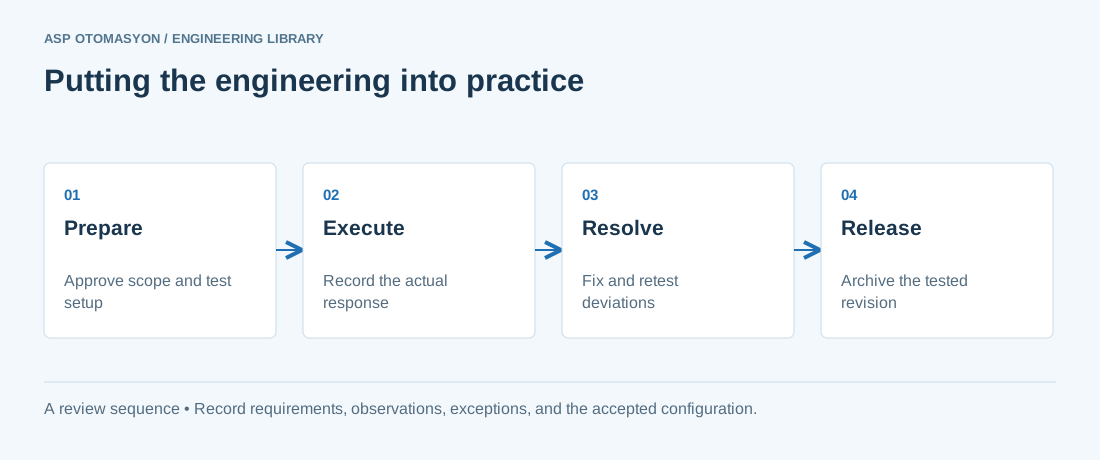
- Agree the test boundary and site authorization, especially where outputs or communications can affect operating equipment.
- Record expected and actual values, equipment identifiers, software revision, test conditions, and exceptions.
- Retest changed behavior and archive the final configuration with the test record and recovery instructions.
Follow an ASP project guide to connect the fundamentals with implementation and acceptance.
Primary references and further reading
Use the original specifications and product documentation for implementation details. The examples in this guide are illustrative engineering scenarios, not published project results.