
OPC UA was designed with security as a foundational requirement, not an afterthought. The specification includes a comprehensive security model covering authentication, authorization, encryption, and audit logging. However, realizing these security capabilities requires deliberate configuration and ongoing management. This article covers the essential security practices for deploying OPC UA in industrial environments.
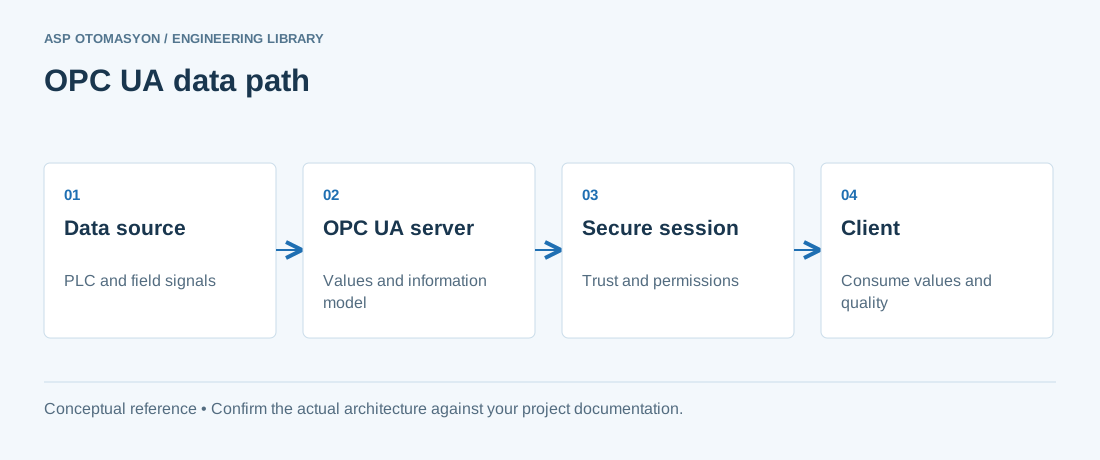
OPC UA Security Architecture
The OPC UA security model operates at two levels:
- Channel security — Protects the communication channel between client and server using encryption and message signing.
- Application security — Authenticates and authorizes users and applications through user tokens and application certificates.
Security Policies (Message Security Modes)
| Mode | Encryption | Signing | Use Case |
|---|---|---|---|
| None | No | No | Trusted networks only (not recommended for production) |
| Sign | No | Yes | Integrity verification without confidentiality (low-latency requirements) |
| SignAndEncrypt | Yes | Yes | Recommended for all production deployments |
OPC UA supports multiple security policies that define the cryptographic algorithms used:
- Basic128Rsa15 — AES-128 encryption, SHA-1 signatures, RSA-1024 key exchange. Legacy support only.
- Basic256 — AES-256 encryption, SHA-1 signatures, RSA-1024/2048 key exchange. Legacy support only.
- Basic256Sha256 — AES-256 encryption, SHA-256 signatures, RSA-2048 key exchange. Recommended minimum for new deployments.
- Aes128-Sha256-RsaOaep — AES-128 encryption, SHA-256 signatures, RSA-OAEP key exchange.
- Aes256-Sha256-RsaPss — AES-256 encryption, SHA-256 signatures, RSA-PSS key exchange. Highest security level.
Certificate Management
OPC UA uses X.509 certificates for application authentication and secure channel establishment. Proper certificate management is the most critical and most challenging aspect of OPC UA security:
- Application instance certificates — Each OPC UA application (client and server) must have a unique certificate that identifies it. The certificate's Subject Name and Application URI must match the application's identity.
- Trust lists — Each application maintains a trust list of certificates it accepts. Unknown certificates are rejected by default (reject-before-accept model).
- Certificate validation — Certificates are validated against the trust list, checked for expiration, and verified against a Certificate Revocation List (CRL) if available.
- Private key protection — Application private keys must be stored securely. On embedded devices, use hardware security modules (HSM) or trusted platform modules (TPM) where available.
PKI Options
| Approach | Description | Best For |
|---|---|---|
| Self-signed certificates | Each application generates its own certificate. Trust is established by manually exchanging certificates. | Small deployments (<20 applications), isolated networks. |
| Private CA | An internal Certificate Authority issues and manages certificates for all OPC UA applications. | Medium to large enterprises with IT/OT convergence. |
| Public CA | Certificates issued by a trusted public Certificate Authority. | Multi-vendor, multi-site deployments requiring cross-organizational trust. |
User Authentication
OPC UA supports three user authentication mechanisms:
- Anonymous — No user identification. Should be disabled in production environments.
- Username/password — Authenticates against a local user store or external directory (LDAP, Active Directory). Passwords are transmitted encrypted over the secure channel.
- X.509 user certificate — The client presents a user certificate for authentication. Provides stronger assurance than passwords and enables certificate-based access control.
Network Security Recommendations
- Network segmentation — Place OPC UA servers and clients in dedicated OT network segments. Use firewalls to restrict access to OPC UA ports (typically 4840 for OPC UA TCP).
- Disable unused security policies — Only enable the security policies you actually use. Disable "None" mode in production.
- Session timeout — Configure appropriate session timeouts to limit the window of exposure from abandoned sessions.
- Audit logging — Enable OPC UA audit logging to record security-relevant events: session creation, certificate validation failures, denied access attempts, and user authentication events.
- Rate limiting — Configure connection limits and request rate limits to protect against denial-of-service attacks.
- Secure discovery — Use LDS (Local Discovery Server) with certificate-based registration rather than unsecured multicast discovery in production.
OPC UA over TSN and 5G Security Considerations
As OPC UA extends to Time-Sensitive Networking (TSN) and 5G networks for real-time and mobile applications, additional security considerations apply:
- TSN — OPC UA Pub/Sub over TSN uses the same application-layer security (SignAndEncrypt) but must also consider TSN network configuration security (IEEE 802.1Qci for per-stream filtering).
- 5G — OPC UA over 5G leverages 5G network slicing for isolation and 5G authentication mechanisms, but application-layer OPC UA security should still be applied for end-to-end protection.
ASP OTOMASYON implements secure OPC UA architectures for industrial clients, including certificate lifecycle management, security policy configuration, and network segmentation aligned with IEC 62443 requirements.
Treat certificate expiry as an operational dependency
Maintain an inventory of application certificates, their owners, expiry dates, and dependent peers. Test the supported renewal procedure before the maintenance window. Keep user authorization separate from application trust and verify both after the change. Investigate identity or trust failures directly instead of enabling insecure endpoints to make a connection appear healthy.
Continue with the related practical guide.
Apply this to your project
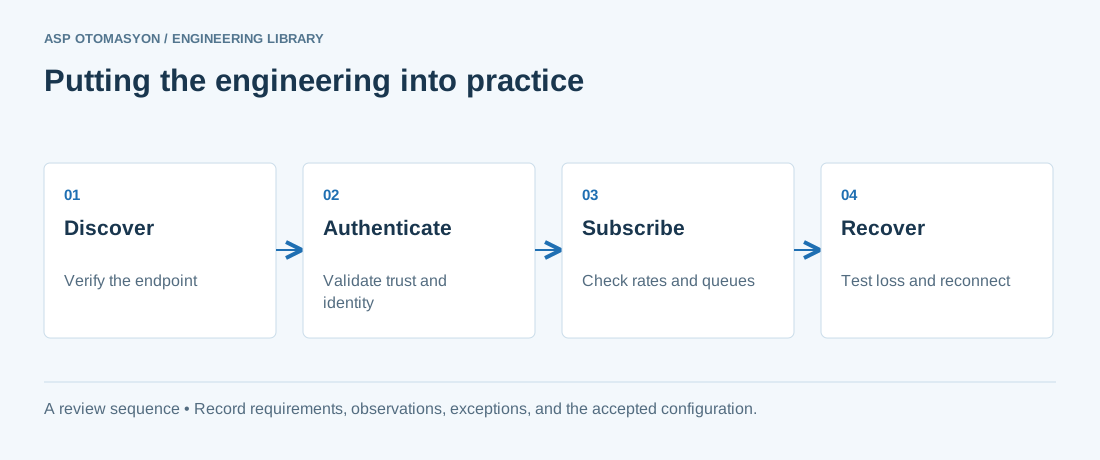
- Record the endpoint, supported security policies, application identity, certificate expiry, and user permissions.
- Verify the value, engineering unit, StatusCode, and source timestamp together at the receiving application.
- Test disconnection and recovery with representative subscriptions; preserve evidence of any data gaps or repeated values.
Follow an ASP project guide to connect the fundamentals with implementation and acceptance.
Primary references and further reading
Use the original specifications and product documentation for implementation details. The examples in this guide are illustrative engineering scenarios, not published project results.