
Before OPC UA, the OPC Foundation's OPC Classic specifications — DA (Data Access), HDA (Historical Data Access), and AE (Alarm & Events) — were the de facto standard for industrial data exchange, and they remain deeply embedded in installed systems worldwide: SCADA packages, historians, MES, and thousands of third-party applications use OPC DA today. Understanding OPC Classic's architecture is not nostalgia — every migration, gateway, and coexistence strategy has to deal with it.
OPC Classic's Foundation: COM/DCOM
OPC Classic is built on Microsoft COM/DCOM, which defines its capabilities and its limitations:
- Windows-only — COM means OPC Classic servers and (mostly) clients run on Windows; Linux clients require a gateway or wrapper.
- DCOM networking — remote access happens over DCOM, requiring Windows user accounts, DCOM launch permissions, and RPC ports (135 + dynamic) to be configured on both machines — the source of the famous "OPC DCOM nightmare" of access-denied errors.
- No built-in security — DCOM security is Windows accounts and permissions; there is no certificate model, no encryption of the data itself, and no application-level authentication in the spec.
- GUID-based discovery — OPC servers register themselves with the OPCEnum service (CATID-based); clients browse servers by calling OPCEnum — which itself must be reachable over DCOM.
The Three Classic Specs
| Specification | Purpose | Typical usage today |
|---|---|---|
| OPC DA 2.0 / 3.0 | Real-time data: read, write, subscribe to tag values with quality and timestamps. | SCADA-to-PLC data exchange on legacy Windows networks. |
| OPC HDA 1.20 | Historical data: read/write archives, aggregates (average, min, max), time windows. | Historian-to-client reporting where the historian predates UA. |
| OPC AE 1.10 | Alarm and event notifications with categories, conditions, and acknowledgement. | Legacy alarm integration into newer HMIs via bridges. |
Each spec has its own server interface; a full legacy server exposes three separate objects, and a legacy client must implement three separate interfaces — one reason the industry consolidated on DA and treated HDA/AE as secondary.
Integrating OPC Classic in a Modern Architecture
OPC Classic is not going away overnight — device-level drivers and plant standards keep it alive. The practical patterns are:
- OPC UA wrapping — run the legacy DA server with its native drivers, then expose it to modern clients through an OPC UA wrapper (e.g., KEPServerEX's DA-to-UA bridging, or the OPC Foundation's UA wrapper samples). The wrapper is a UA server in front of the DA server: modern clients see UA; the legacy devices see DA.
- Gateway boxes — hardware/software gateways that terminate DCOM locally and re-publish over UA/TLS or MQTT — the standard way to get OPC Classic data across a firewall or into a DMZ without opening DCOM ports.
- Client-side compatibility — applications that still speak DA (old SCADA, Excel add-ins, maintenance tools) connect to the same wrapped server: the wrapper can present a DA interface to old clients while presenting UA to new ones.
DCOM Troubleshooting Basics
When a legacy DA connection fails, the usual suspects, in order:
- OPCEnum not running or unreachable on the server (firewall, service state).
- DCOM identity: the client's Windows account must have launch/access permissions for the OPC server component (dcomcnfg).
- RPC ports: DCOM uses dynamic ports above 1024; open or restrict them consistently on both sides.
- Windows Firewall exceptions for the OPC binaries themselves.
- Time and account issues — domain vs local accounts, clock skew (Kerberos).
For any new deployment, avoid remote DCOM altogether: put the OPC Classic server on the same machine as the gateway/wrapper and bridge over UA — the industry's standard answer since the early 2010s.
Migration Strategy
Migrating from Classic to UA follows a pragmatic path: inventory the DA connections (server, tags, clients), map them onto the UA address space (the wrapper keeps the same tag names, so clients rarely change), then move clients to UA one by one using coexistence — UA and DA interfaces active simultaneously. Only after the UA side is stable for a full production cycle should the DA interface be retired. The OPC Foundation's DA-to-UA migration guide and the companion OPC UA Part 5 mapping rules make the tag-level mapping mechanical.
Summary
OPC Classic is a mature, reliable, Windows-bound technology that still carries a large part of the world's industrial data. Integrate it through wrappers and gateways that terminate DCOM at the edge and re-expose data as UA, keep the legacy interfaces alive during coexistence, and migrate client by client with identical tag names. The goal is not to rip out DA overnight — it is to make the migration invisible to the data consumers.
Apply this to your project
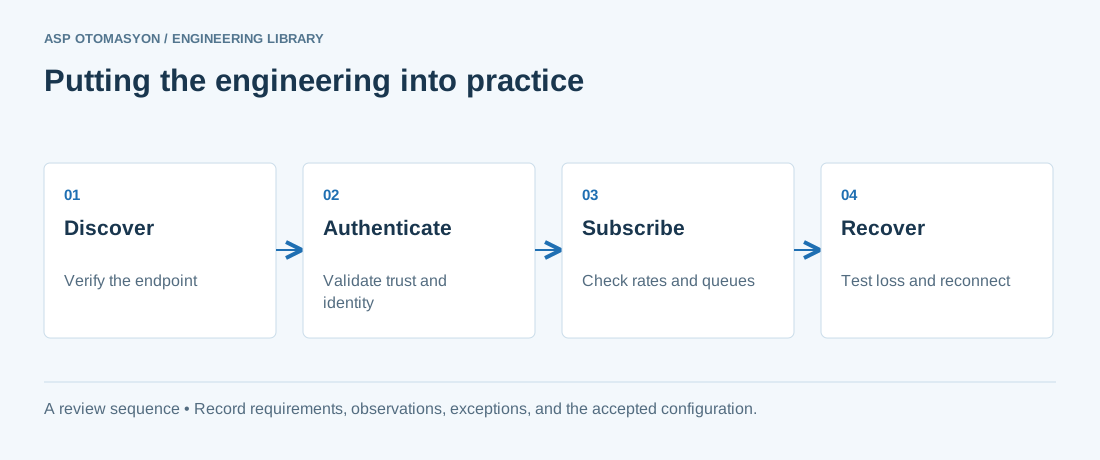
- Record the endpoint, supported security policies, application identity, certificate expiry, and user permissions.
- Verify the value, engineering unit, StatusCode, and source timestamp together at the receiving application.
- Test disconnection and recovery with representative subscriptions; preserve evidence of any data gaps or repeated values.
Follow an ASP project guide to connect the fundamentals with implementation and acceptance.
Primary references and further reading
Use the original specifications and product documentation for implementation details. The examples in this guide are illustrative engineering scenarios, not published project results.