
A data historian is the long-term memory of an industrial plant. Where a PLC or SCADA system keeps live values in memory, a historian collects time-stamped process data continuously — often hundreds of thousands of values per second across a site — compresses it, and stores it for months or years so that engineers, operators, and business systems can analyze what happened. Choosing and deploying a historian well is one of the highest-leverage decisions in an industrial data strategy.
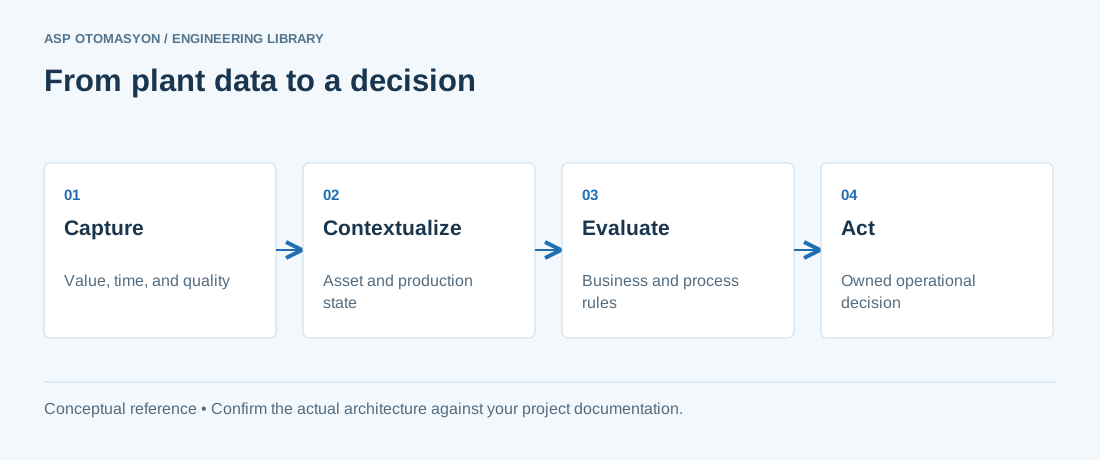
What a Historian Does
- Collects time-series data from PLCs, DCS, SCADA, instruments, and meters via OPC (DA/UA), native drivers, and file-based interfaces.
- Compresses and stores the data efficiently; good historians store high-resolution data with minimal loss using techniques like swinging-door compression and exception reporting.
- Serves the data through visualization tools, calculation engines, OPC UA Historical Access, SQL interfaces, and REST APIs.
- Calculates aggregates and derived values (totals, averages, efficiencies, KPIs) either at collection or on retrieval.
Key Selection Criteria
| Criterion | What to look for |
|---|---|
| Throughput | Sustained samples/second for your tag count; verify with a load test, not a datasheet |
| Resolution & compression | Stores raw samples (ms–s) and recovers original values within a configurable error band |
| Connectivity | Native OPC UA, OPC DA, and drivers for your control platforms; easy tag import |
| Retrieval interfaces | OPC UA HA, SQL, REST, and integration with your analytics/MES tools |
| Reliability | Buffering on disconnect, failover/HA, and no data loss on restart |
| Scalability & cost | Licensing model (per tag, per server, per capacity), growth path, total cost over 5 years |
| Security | Authentication, TLS, audit, and integration with your OT security model |
Commercial historians include products such as AVEVA PI System (formerly OSIsoft PI), AVEVA Historian, Honeywell, and open-source options like InfluxDB, TimescaleDB, and Apache IoTDB. The choice is less about brand and more about fit: throughput, ecosystem, and the skills available in your team.
Deployment Architecture
A typical plant historian architecture has three layers:
Field / Control (PLCs, DCS, meters)
        │  OPC UA / DA
        ▼
Collection tier (historian collectors / OPC gateways)
        │  (buffering on disconnect)
        ▼
Storage tier (historian server + time-series database)
        │  OPC UA HA / SQL / REST
        ▼
Consumption tier (dashboards, MES, analytics, cloud relay)
Key deployment decisions:
- Where collectors run: on the historian server, on dedicated gateway machines, or at the edge (near the PLCs) when network reliability is limited. Edge buffering protects against WAN outages.
- Single vs. distributed: one central historian for a site, or per-area collectors that forward to a central store. Distributed collectors improve fault isolation; a central store simplifies analysis.
- Redundancy: for critical plants, a secondary historian that mirrors the primary, with automatic failover.
- Network placement: collectors and storage typically sit in the OT network (Level 3 of the Purdue model), with controlled access for IT/cloud consumers. Follow the plant's segmentation rules and see the Purdue Model segmentation article.
Tag Strategy: Collect What Matters
Historian licensing and performance are driven by tag count, so be deliberate:
- Start from use cases. List the analyses and reports you actually need (energy, OEE, quality, maintenance). Collect the tags those use cases require.
- Include the basics: process values, statuses, setpoints, alarm states, and quality. Statuses are as valuable as values — knowing a line was in manual explains a lot of history.
- Use standard names and units. Adopt a site-wide tag naming convention; a historian with inconsistent names is a data swamp.
- Add metadata: engineering units, descriptions, area, equipment association. Modern historians store this and it multiplies the value of the data.
- Review quarterly: remove dead tags, add new ones as the plant changes. A historian left unmaintained becomes slower and more expensive than it should be.
Retention and Roll-Up Strategy
Define a retention policy before deployment:
- Raw data: keep high-resolution data for the analysis horizon (commonly 6–24 months).
- Roll-ups: automatically aggregate older data into hourly/daily summaries and keep those for 3–10 years.
- Events and batches: keep batch/event records indefinitely where compliance requires (e.g., pharmaceutical and food industries).
Roll-ups preserve long-term trends at a fraction of the storage cost, and modern historians automate the process.
Operational Practices
- Monitor the historian. Disk usage, collection lag, and disconnect buffers deserve their own monitoring — a historian that silently stopped collecting is discovered months too late.
- Clock sync. Synchronize all sources with NTP so timestamps are comparable across the plant.
- Backup and restore. Test restores; the historian's archive is irreplaceable production data.
- Change control. Tag additions and model changes should follow the same change process as control-system changes.
- Document the data dictionary. What each tag means, its units, source, and retention — the dictionary is what makes the data usable by people who join later.
Summary
A data historian turns the plant's transient process data into a durable, queryable asset. Select on throughput, connectivity, and retrieval interfaces that match your tools; deploy with edge buffering and clear network boundaries; collect deliberately based on use cases; and maintain retention, clock sync, and documentation like production equipment. Done well, the historian becomes the foundation for dashboards, analytics, and every later digital initiative.
Apply this to your project
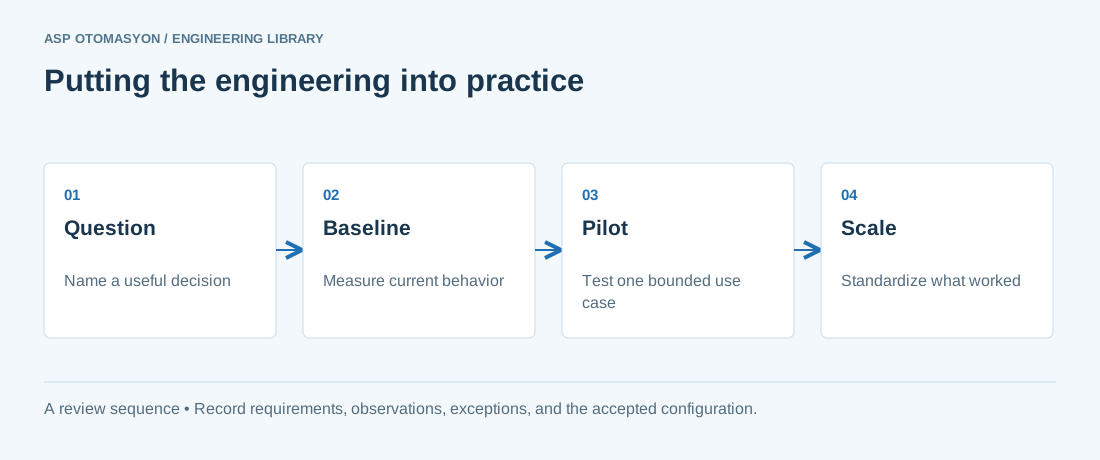
- Name the operational decision, its owner, and the evidence required to judge whether it improved.
- Document asset identifiers, units, timestamps, quality rules, and definitions shared between OT and business applications.
- Compare the pilot against a recorded baseline before extending it to other machines or sites.
Follow an ASP project guide to connect the fundamentals with implementation and acceptance.
Primary references and further reading
Use the original specifications and product documentation for implementation details. The examples in this guide are illustrative engineering scenarios, not published project results.