
This guide walks through the complete process of configuring OPC UA server functionality in Kepware KEPServerEX. Once configured, OPC UA clients can securely connect to read and write process data from any device driver installed in KEPServerEX.
Yes.opc.tcp://[hostname]:49320urn:[hostname]:Kepware:KEPServerEXPlant01_KEPServer).opc.tcp://[LDS-host]:4840KEPServerEX_Plant01ASP OTOMASYONurn:[hostname]:Kepware:KEPServerEXUse a generic OPC UA client to verify the server configuration:
\n\nopc.tcp://[hostname]:49320| Issue | Symptom | Solution |
|---|---|---|
| Connection Refused | Client cannot connect to endpoint | Check Windows Firewall rules for port 49320. Verify OPC UA is enabled. |
| Certificate Rejected | Client certificate in Rejected store | Move client certificate from Rejected to Trusted store. Restart runtime. |
| Security Policy Mismatch | Handshake failure during connection | Ensure client and server share at least one common security policy. |
| No Data / Bad Quality | Tags visible but values show Bad | Verify the underlying device channel is connected (green status). |
| Slow Response | Long delays when browsing or reading | Reduce monitored items per subscription. Increase publishing interval. |
| License Error | OPC UA features disabled | Verify your license includes OPC UA server option. Contact PTC/Kepware. |
| Discovery Failures | Server not found in client discovery | Ensure LDS is configured and running. Alternatively, connect directly to endpoint URL. |
OPC UA Server Configuration Summary\n====================================\nEndpoint URL : opc.tcp://plant01-server:49320\nServer URI : urn:plant01-server:Kepware:KEPServerEX\nServer Name : Plant01_KEPServer\nSecurity Policy : Basic256Sha256 (Sign and Encrypt)\nAuth Mode : Certificate + Username/Password\nNamespace : Hierarchical (Channel - Device - Tag)\nDiscovery : LDS at opc.tcp://discovery-server:4840\nFirewall Port : 49320/TCP (inbound)\nASP OTOMASYON A.Ş. and its subsidiaries OPCTurkey and ASP Dijital provide end-to-end industrial engineering solutions for process automation, data operations and AI.
Follow an ASP project guide to connect the fundamentals with implementation and acceptance.

Use the original specifications and product documentation for implementation details. The examples in this guide are illustrative engineering scenarios, not published project results.
","markdown":"# OPC UA Server Setup with Kepware\n\n> This guide walks through the complete process of configuring OPC UA server functionality in Kepware KEPServerEX. Once configured, OPC UA clients can securely…\n\n- Canonical URL: https://wiki.aspotomasyon.com/article/opc-ua-server-setup-with-kepware\n- Publisher: ASP OTOMASYON A.Ş. (ASP OTOMASYON Wiki)\n- Category: Technical Guides\n- Published: 2026-05-12 · Updated: 2026-09-13\n- Reading time: 5 min · Language: English\n\nThis guide walks through the complete process of configuring **OPC UA server functionality** in Kepware KEPServerEX. Once configured, OPC UA clients can securely connect to read and write process data from any device driver installed in KEPServerEX.\n\n\n\n*A commissioning evidence chain: every acceptance result should lead back to a requirement and identify the configuration that was actually tested.*\n\n## Prerequisites\n\n- KEPServerEX v6.8 or later installed and running\n- At least one channel and device already configured\n- Administrative access to the KEPServerEX Administration tool\n- OPC UA feature included in your license (or running in demo mode)\n- Windows Firewall configured to allow the OPC UA port (default: 49320)\n\n## Step-by-Step Configuration\n\n### Step 1: Enable the OPC UA Server\n\n1. Open **KEPServerEX Administration** .\n2. Navigate to **Settings** then **OPC UA** in the project tree.\n3. Set **\"OPC UA Server Enabled\"** to `Yes` .\n4. Note the default endpoint URL: `opc.tcp://[hostname]:49320`\n5. Click **Apply** to save the configuration.\n\n### Step 2: Configure Server Instance\n\n1. Set the **Server URI** — The unique identifier for your server instance. Format: `urn:[hostname]:Kepware:KEPServerEX`\n2. Configure the **Server Name** — A human-readable name for OPC UA client discovery (e.g., `Plant01_KEPServer` ).\n3. Set the **Discovery Server URL** if you have a Local Discovery Server (LDS): `opc.tcp://[LDS-host]:4840`\n\n### Step 3: Configure Security Policies\n\n1. Navigate to **OPC UA** then **Security Policies** .\n2. Enable the desired policies. For production environments, recommended minimum:\n - **Basic256Sha256** — Sign and Encrypt (recommended minimum)\n - **Aes128-Sha256-RsaOaep** — Modern AES encryption\n - **Aes256-Sha256-RsaPss** — Highest security level\n3. Disable **None** security policy in production (use only for testing).\n\n### Step 4: Generate and Manage Certificates\n\n1. Navigate to **OPC UA** then **Certificate Management** .\n2. Click **\"Generate New Certificate\"** if no server certificate exists.\n3. Fill in the certificate fields:\n - **Common Name (CN)** : `KEPServerEX_Plant01`\n - **Organization (O)** : `ASP OTOMASYON`\n - **Application URI** : `urn:[hostname]:Kepware:KEPServerEX`\n - **Validity Period** : 3650 days (10 years)\n4. Export the server certificate (.der file) to share with OPC UA clients for trust establishment.\n5. Import trusted client certificates into the **Trusted** certificate store.\n\n### Step 5: Configure User Authentication\n\n1. Navigate to **OPC UA** then **User Authentication** .\n2. Enable **Anonymous** access only for testing. For production, use:\n - **Certificate-based** — Clients authenticate using X.509 certificates\n - **Username/Password** — Clients provide credentials defined in User Manager\n3. Create specific user accounts with least-privilege access.\n\n### Step 6: Configure Namespace\n\n1. Navigate to **OPC UA** then **Namespace** .\n2. Choose namespace organization:\n - **Flat** — All tags in a single folder (simple, small deployments)\n - **Hierarchical** — Tags organized by channel and device (recommended)\n3. Enable **Data Access** , **Alarms and Conditions** , and **Historical Access** as needed.\n\n### Step 7: Apply and Restart\n\n1. Click **Apply** to save all OPC UA configuration changes.\n2. Restart the KEPServerEX runtime: right-click the system tray icon, select **Restart Runtime** .\n3. Verify in the Event Log that the OPC UA server started successfully.\n\n## Testing with an OPC UA Client\n\nUse a generic OPC UA client to verify the server configuration:\n\n1. **Install a Test Client** — Options: UaExpert (free, by Unified Automation), Prosys OPC UA Browser, or the OPC Foundation .NET sample client.\n2. **Create a Connection** — Enter the server endpoint: `opc.tcp://[hostname]:49320`\n3. **Trust the Certificate** — If using security, accept and save the server certificate when prompted.\n4. **Authenticate** — Provide the configured credentials or certificate.\n5. **Browse the Namespace** — Navigate the address space and verify that channels, devices, and tags are visible.\n6. **Read/Write Values** — Subscribe to a few tags and verify that values update in real time.\n\n## Common Issues and Solutions\n\n| Issue | Symptom | Solution |\n| --- | --- | --- |\n| Connection Refused | Client cannot connect to endpoint | Check Windows Firewall rules for port 49320. Verify OPC UA is enabled. |\n| Certificate Rejected | Client certificate in Rejected store | Move client certificate from Rejected to Trusted store. Restart runtime. |\n| Security Policy Mismatch | Handshake failure during connection | Ensure client and server share at least one common security policy. |\n| No Data / Bad Quality | Tags visible but values show Bad | Verify the underlying device channel is connected (green status). |\n| Slow Response | Long delays when browsing or reading | Reduce monitored items per subscription. Increase publishing interval. |\n| License Error | OPC UA features disabled | Verify your license includes OPC UA server option. Contact PTC/Kepware. |\n| Discovery Failures | Server not found in client discovery | Ensure LDS is configured and running. Alternatively, connect directly to endpoint URL. |\n\n## Configuration Summary\n\n```\nOPC UA Server Configuration Summary\n====================================\nEndpoint URL : opc.tcp://plant01-server:49320\nServer URI : urn:plant01-server:Kepware:KEPServerEX\nServer Name : Plant01_KEPServer\nSecurity Policy : Basic256Sha256 (Sign and Encrypt)\nAuth Mode : Certificate + Username/Password\nNamespace : Hierarchical (Channel - Device - Tag)\nDiscovery : LDS at opc.tcp://discovery-server:4840\nFirewall Port : 49320/TCP (inbound)\n```\n\n> ASP OTOMASYON A.Ş. and its subsidiaries OPCTurkey and ASP Dijital provide end-to-end industrial engineering solutions for process automation, data operations and AI.\n\n---\n\n## References & Further Reading\n\n1. [PTC Kepware KEPServerEX — Official Documentation](https://www.ptc.com/en/products/kepware/kepserverex) — Official product documentation covering installation, channel/device configuration, and OPC UA server setup in KEPServerEX.\n2. [OPC Foundation — OPC UA Security and Certificate Management](https://reference.opcfoundation.org/) — Official guidance on OPC UA X.509 certificate generation, trust establishment, and security policy configuration.\n3. [Unified Automation UaExpert — OPC UA Client Tool](https://www.unified-automation.com/products/development-tools/uaexpert.html) — Official page for the UaExpert OPC UA test client, widely used for testing OPC UA server connections and browsing address spaces.\n4. [Prosys OPC UA Browser](https://www.prosysopc.com/products/opc-ua-browser/) — Official Prosys OPC UA client tool for server discovery, certificate management, and address space browsing.\n5. [PTC Kepware Support — OPC UA Configuration Knowledge Base](https://www.ptc.com/en/support/help/kepware) — Official Kepware knowledge base articles covering OPC UA troubleshooting, certificate issues, and security policy configuration.\n\n## Apply this to your project\n\n- Agree the test boundary and site authorization, especially where outputs or communications can affect operating equipment.\n- Record expected and actual values, equipment identifiers, software revision, test conditions, and exceptions.\n- Retest changed behavior and archive the final configuration with the test record and recovery instructions.\n\n[Follow an ASP project guide](https://wiki.aspotomasyon.com/guides) to connect the fundamentals with implementation and acceptance.\n\n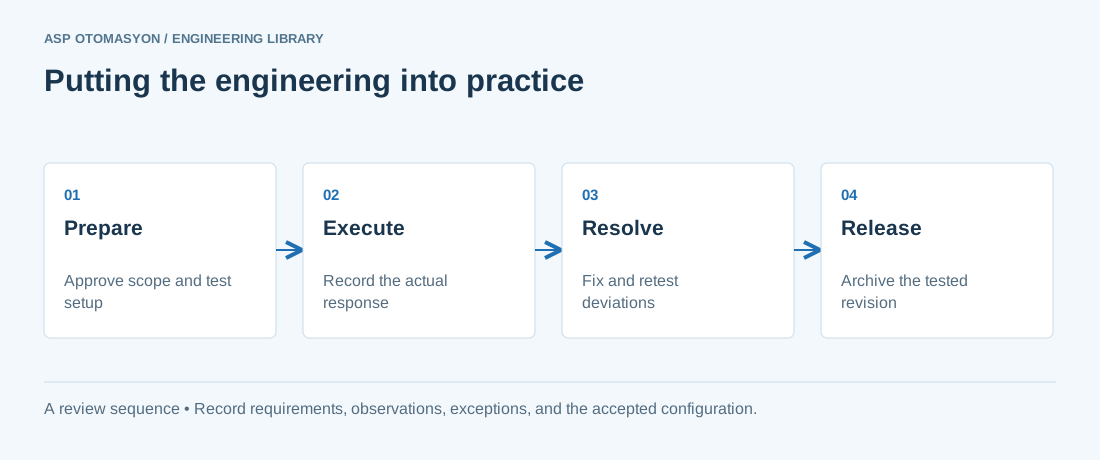\n\n*Engineering review sequence: Prepare → Execute → Resolve → Release. Keep the recorded evidence with the accepted configuration.*\n\n## Primary references and further reading\n\nUse the original specifications and product documentation for implementation details. The examples in this guide are illustrative engineering scenarios, not published project results.\n\n- [NIST SP 800-82 Rev. 3 — OT configuration and operational considerations](https://csrc.nist.gov/pubs/sp/800/82/r3/final)\n- [ISA — Automation standards and committees](https://www.isa.org/standards-and-publications/isa-standards/isa-standards-committees)\n\n---\n\nCite the canonical article: https://wiki.aspotomasyon.com/article/opc-ua-server-setup-with-kepware (OPC UA Server Setup with Kepware, ASP OTOMASYON, updated 2026-09-13).\n","headings":[{"id":"prerequisites","title":"Prerequisites"},{"id":"step-by-step-configuration","title":"Step-by-Step Configuration"},{"id":"testing-with-an-opc-ua-client","title":"Testing with an OPC UA Client"},{"id":"common-issues-and-solutions","title":"Common Issues and Solutions"},{"id":"configuration-summary","title":"Configuration Summary"},{"id":"references-further-reading","title":"References & Further Reading"},{"id":"apply-this-to-your-project","title":"Apply this to your project"},{"id":"primary-references-and-further-reading","title":"Primary references and further reading"}],"faq":[],"references":[{"name":"PTC Kepware KEPServerEX — Official Documentation","url":"https://www.ptc.com/en/products/kepware/kepserverex"},{"name":"OPC Foundation — OPC UA Security and Certificate Management","url":"https://reference.opcfoundation.org/"},{"name":"Unified Automation UaExpert — OPC UA Client Tool","url":"https://www.unified-automation.com/products/development-tools/uaexpert.html"},{"name":"Prosys OPC UA Browser","url":"https://www.prosysopc.com/products/opc-ua-browser/"},{"name":"PTC Kepware Support — OPC UA Configuration Knowledge Base","url":"https://www.ptc.com/en/support/help/kepware"},{"name":"NIST SP 800-82 Rev. 3 — OT configuration and operational considerations","url":"https://csrc.nist.gov/pubs/sp/800/82/r3/final"},{"name":"ISA — Automation standards and committees","url":"https://www.isa.org/standards-and-publications/isa-standards/isa-standards-committees"}],"related":[{"slug":"advanced-kepware-alarms-history-redundancy","title":"Advanced Kepware: Alarms, Historical Data, and Redundancy","summary":"KEPServerEX from PTC/Kepware is the most widely deployed OPC server in industrial automation, and most users only scratch the surface of its capabilities.","category":{"slug":"opc-solutions","name":"OPC Solutions"},"url":"https://wiki.aspotomasyon.com/article/advanced-kepware-alarms-history-redundancy","markdown_url":"https://wiki.aspotomasyon.com/article/advanced-kepware-alarms-history-redundancy.md","api_url":"https://wiki.aspotomasyon.com/api/v1/articles/advanced-kepware-alarms-history-redundancy","published":"2026-05-13T12:01:15+00:00","modified":"2026-09-13T11:07:23+00:00","reading_minutes":8,"word_count":1689,"image":"https://wiki.aspotomasyon.com/assets/social/advanced-kepware-alarms-history-redundancy-a11e2ccb1483.png"},{"slug":"kepware-driver-selection-architecture","title":"Kepware Driver Selection and Channel/Tag Architecture","summary":"KEPServerEX is the most widely deployed industrial connectivity platform: it converts dozens of native protocols — Siemens, Allen-Bradley, Modbus, DNP3…","category":{"slug":"opc-solutions","name":"OPC Solutions"},"url":"https://wiki.aspotomasyon.com/article/kepware-driver-selection-architecture","markdown_url":"https://wiki.aspotomasyon.com/article/kepware-driver-selection-architecture.md","api_url":"https://wiki.aspotomasyon.com/api/v1/articles/kepware-driver-selection-architecture","published":"2026-08-11T13:05:19+00:00","modified":"2026-09-13T11:07:23+00:00","reading_minutes":5,"word_count":921,"image":"https://wiki.aspotomasyon.com/assets/social/kepware-driver-selection-architecture-22591e1f10b4.png"},{"slug":"kepware-kepserverex-configuration-guide","title":"Kepware KEPServerEX Configuration Guide","summary":"Kepware Server (formerly KEPServerEX) is one of the most widely deployed OPC servers, providing connectivity to over 150 industrial protocols and device…","category":{"slug":"opc-solutions","name":"OPC Solutions"},"url":"https://wiki.aspotomasyon.com/article/kepware-kepserverex-configuration-guide","markdown_url":"https://wiki.aspotomasyon.com/article/kepware-kepserverex-configuration-guide.md","api_url":"https://wiki.aspotomasyon.com/api/v1/articles/kepware-kepserverex-configuration-guide","published":"2026-05-12T12:47:31+00:00","modified":"2026-09-13T11:07:23+00:00","reading_minutes":5,"word_count":928,"image":"https://wiki.aspotomasyon.com/assets/social/kepware-kepserverex-configuration-guide-eba1e4597a3a.png"},{"slug":"opc-ua-mqtt-bridge-patterns","title":"OPC UA to MQTT Bridge Patterns","summary":"Industrial automation environments increasingly demand a two-tier data strategy: OPC UA for real-time, deterministic plant-floor communication and MQTT for…","category":{"slug":"opc-solutions","name":"OPC Solutions"},"url":"https://wiki.aspotomasyon.com/article/opc-ua-mqtt-bridge-patterns","markdown_url":"https://wiki.aspotomasyon.com/article/opc-ua-mqtt-bridge-patterns.md","api_url":"https://wiki.aspotomasyon.com/api/v1/articles/opc-ua-mqtt-bridge-patterns","published":"2026-05-13T12:01:15+00:00","modified":"2026-09-13T11:07:23+00:00","reading_minutes":8,"word_count":1649,"image":"https://wiki.aspotomasyon.com/assets/social/opc-ua-mqtt-bridge-patterns-b71382141389.png"}],"citation":"ASP OTOMASYON. OPC UA Server Setup with Kepware. Updated 2026-09-13. https://wiki.aspotomasyon.com/article/opc-ua-server-setup-with-kepware"}}