
Industrial automation environments increasingly demand a two-tier data strategy: OPC UA for real-time, deterministic plant-floor communication and MQTT for scalable, firewall-friendly edge-to-cloud telemetry. Bridging these two protocols is not a matter of choosing one over the other — it is about building a reliable, secure, and performant gateway that lets each protocol do what it does best.
This article examines the architectural patterns, tools, and configurations for bridging OPC UA to MQTT, with a focus on the Turkish and regional industrial automation market. We cover Kepware's MQTT Client driver, Node-RED as a lightweight bridge, topic mapping strategies, payload encoding options, security hardening, and cloud platform integration.
\n\nOPC UA and MQTT are complementary, not competitive. The table below summarises their respective strengths:
\n\n| Characteristic | OPC UA | MQTT + Sparkplug |
|---|---|---|
| Transport model | Client/Server + Pub/Sub | Pub/Sub (broker-based) |
| Data modelling | Rich object-oriented information model | Tag/metric list with templates |
| Real-time capability | Yes (incl. TSN extensions) | No — best-effort delivery |
| Firewall traversal | Single port, server must accept inbound | Single port, client initiates outbound |
| Ideal for | Plant-floor HMI, SCADA, historians | Cloud telemetry, IIoT, edge analytics |
| Offline buffering | Requires additional layer | Built-in (persistent sessions) |
A bridge between the two lets you:
\nKEPServerEX includes a native MQTT Client driver that reads tags from any configured device and publishes them to an MQTT broker. This is the simplest pattern for Kepware shops:
\n\n +------------------+ OPC UA / Driver +------------------+\n | PLC / RTU / DCS |<---------------------->| KEPServerEX |\n +------------------+ +--------+---------+\n |\n MQTT Client Driver\n |\n MQTT/TLS\n |\n +-----v-----+\n | MQTT |\n | Broker |\n +-----------+\n | | |\n v v v\n SCADA Cloud MobileConfiguration steps:
\nssl://broker.hivemq.cloud:8883).Advantages: Zero additional software, seamless Kepware integration, supports all Kepware device drivers.
\nLimitations: Only publishes Kepware-resident tags; limited transformation capability; no built-in Sparkplug support (requires Advanced MQTT Client plug-in).
\n\nNode-RED is an excellent choice for custom bridging logic, especially when transformation, filtering, or enrichment is required:
\n\n +----------+ OPC UA +----------+ MQTT +-----------+\n | PLC/DCS |<-------------->| Node-RED |-------------->| MQTT |\n | | Client/Server| | Publish | Broker |\n +----------+ +----------+ +-----------+Key Node-RED nodes required:
\nnode-red-contrib-opcua — OPC UA client node for browsing and reading tags.node-red-contrib-mqtt-broker — Built-in MQTT output node.node-red-contrib-sparkplug — Sparkplug B payload encoding (available as community contribution).Example flow snippet (JSON):
\n[{\"id\":\"opcua1\",\"type\":\"OPC UA Client\",\"endpoint\":\"opc.tcp://192.168.1.100:49320\"},\n {\"id\":\"mqtt1\",\"type\":\"mqtt out\",\"topic\":\"factory/line1/temperature\",\"qos\":1},\n {\"id\":\"function1\",\"type\":\"function\",\"func\":\"msg.payload = {ts: Date.now(), value: msg.payload}; return msg;\"}]Advantages: Extremely flexible, visual programming, large ecosystem of community nodes, easily containerised.
\nLimitations: Not certified for safety-critical use; performance degrades with thousands of tags; no built-in HA failover.
\n\nFor large-scale deployments, dedicated edge gateways (e.g., Siemens IOT2050, Advantech WISE-750, or a hardened industrial PC running Linux) provide a purpose-built bridge:
\n\n +------------------+ OPC UA +------------------+ MQTT +----------+\n | Multiple PLCs |<-------------->| Edge Gateway |-------------->| Cloud |\n | (Siemens, AB, | | (Linux + Python | | Platform |\n | Modbus, etc.) | | + OPC UA Client) | +----------+\n +------------------+ +------------------+Typical software stack:
\nopcua-asyncio or freeopcua for OPC UA client.The topic hierarchy you choose directly affects scalability, security, and ease of consumption. Three common strategies are:
\n\nfactory/temperature\nfactory/pressure\nfactory/flowUse for: Small deployments (<50 tags), quick prototyping.
\n\nfactory/line1/zone3/temperature/PV\nfactory/line1/zone3/pressure/PV\nfactory/line1/zone3/motor/speedUse for: Multi-line, multi-zone facilities where operators need to subscribe to subsets of data.
\n\nspBv1.0/factory1/NDATA/edge01/temperature\nspBv1.0/factory1/DDATA/edge01/motor01/speedUse for: IIoT deployments requiring birth/death certificates, template definitions, and strict state management.
\n\n| Criterion | JSON | Sparkplug B (Protobuf) |
|---|---|---|
| Payload size | Larger (text-based) | Compact (binary) |
| Human-readable | Yes | No (requires decoder) |
| Schema validation | Manual (JSON Schema) | Built-in (Protobuf schema) |
| State management | Custom implementation required | Built-in birth/death certificates |
| Template support | No | Yes (reduces payload for similar devices) |
| Sequence numbering | Manual | Automatic |
| Maturity in OT | General-purpose | Purpose-built for IIoT |
Recommendation: For cloud-only pipelines where a human may debug payloads, JSON is acceptable for small tag counts. For production IIoT deployments with hundreds of devices and strict data quality requirements, Sparkplug B is strongly preferred.
\n\nBridging OT data to MQTT introduces several attack surfaces. Address each systematically:
\n\npublish access only to its designated topic tree.AWS IoT Core supports MQTT natively. Configure the bridge to publish to device-specific topics:
\n# AWS IoT Core topic format\n$aws/things/{thingName}/shadow/update\n# or custom topics with IoT Core rules engine:\nfactory/line1/dataAzure IoT Hub also speaks MQTT. The bridge connects as a device or module:
\n# Azure IoT Hub topic format\ndevices/{deviceId}/messages/events/Getting bridge performance right requires attention to several knobs:
\n\n| Parameter | Recommendation | Rationale |
|---|---|---|
| Publish interval | 1000–5000 ms (process data) | Faster intervals increase broker and network load. |
| MQTT QoS | QoS 1 for telemetry, QoS 2 for commands | QoS 0 risks data loss; QoS 2 adds round-trip overhead. |
| Keepalive interval | 60 seconds | Shorter keepalives detect disconnection faster but increase traffic. |
| Batch publishing | Group 10–50 tags per message | Reduces TCP overhead vs. one message per tag. |
| Message expiry | Set TTL = 2× publish interval | Prevents stale data from being delivered after a broker queue backlog. |
| Broker session expiry | Set to match expected reconnection window | Typical values: 1 hour for edge devices, 24 hours for gateways. |
A bridge is a single point of failure. Monitor these metrics:
\nStep-by-step for a real deployment:
\nssl://xxx.s1.eu.hivemq.cloud:8883.factory/packaging/line1/+ and map all 50 tags.factory/packaging/.\nKey takeaway: An OPC UA to MQTT bridge is not a product you buy — it is a pattern you implement. Choose the tooling based on your team's skills, your existing software investments, and the scale of data you need to move. Start simple with Kepware's MQTT Client, evolve to Node-RED or a custom gateway as requirements grow.
\n
Follow an ASP project guide to connect the fundamentals with implementation and acceptance.

Use the original specifications and product documentation for implementation details. The examples in this guide are illustrative engineering scenarios, not published project results.
","markdown":"# OPC UA to MQTT Bridge Patterns\n\n> Industrial automation environments increasingly demand a two-tier data strategy: OPC UA for real-time, deterministic plant-floor communication and MQTT for…\n\n- Canonical URL: https://wiki.aspotomasyon.com/article/opc-ua-mqtt-bridge-patterns\n- Publisher: ASP OTOMASYON A.Ş. (ASP OTOMASYON Wiki)\n- Category: OPC Solutions\n- Published: 2026-05-13 · Updated: 2026-09-13\n- Reading time: 8 min · Language: English\n\nIndustrial automation environments increasingly demand a two-tier data strategy: **OPC UA** for real-time, deterministic plant-floor communication and **MQTT** for scalable, firewall-friendly edge-to-cloud telemetry. Bridging these two protocols is not a matter of choosing one over the other — it is about building a reliable, secure, and performant gateway that lets each protocol do what it does best.\n\n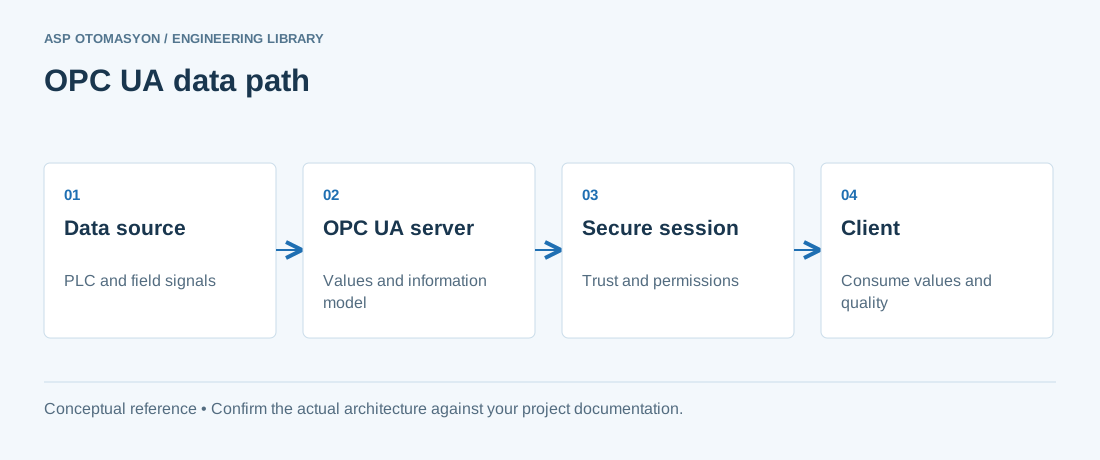\n\n*A conceptual OPC UA client/server path. Application certificates establish application trust; user authorization controls what a connected user may do.*\n\nThis article examines the architectural patterns, tools, and configurations for bridging OPC UA to MQTT, with a focus on the Turkish and regional industrial automation market. We cover Kepware's MQTT Client driver, Node-RED as a lightweight bridge, topic mapping strategies, payload encoding options, security hardening, and cloud platform integration.\n\n## Why Bridge OPC UA to MQTT?\n\nOPC UA and MQTT are complementary, not competitive. The table below summarises their respective strengths:\n\n| Characteristic | OPC UA | MQTT + Sparkplug |\n| --- | --- | --- |\n| Transport model | Client/Server + Pub/Sub | Pub/Sub (broker-based) |\n| Data modelling | Rich object-oriented information model | Tag/metric list with templates |\n| Real-time capability | Yes (incl. TSN extensions) | No — best-effort delivery |\n| Firewall traversal | Single port, server must accept inbound | Single port, client initiates outbound |\n| Ideal for | Plant-floor HMI, SCADA, historians | Cloud telemetry, IIoT, edge analytics |\n| Offline buffering | Requires additional layer | Built-in (persistent sessions) |\n\nA bridge between the two lets you:\n\n- **Expose OPC UA data to cloud platforms** (AWS IoT Core, Azure IoT Hub) that speak MQTT natively.\n- **Reduce firewall complexity** — MQTT needs only one outbound port (8883) open, whereas OPC UA requires an inbound port.\n- **Scale data distribution** — MQTT brokers fan out data to many subscribers without adding load to the source PLC or OPC server.\n- **Add edge processing** — Filter, aggregate, or transform OPC UA data before publishing to the cloud.\n\n## Architecture Patterns\n\n### Pattern 1: Direct Bridge via Kepware MQTT Client\n\nKEPServerEX includes a native **MQTT Client** driver that reads tags from any configured device and publishes them to an MQTT broker. This is the simplest pattern for Kepware shops:\n\n```\n +------------------+ OPC UA / Driver +------------------+\n | PLC / RTU / DCS |<---------------------->| KEPServerEX |\n +------------------+ +--------+---------+\n |\n MQTT Client Driver\n |\n MQTT/TLS\n |\n +-----v-----+\n | MQTT |\n | Broker |\n +-----------+\n | | |\n v v v\n SCADA Cloud Mobile\n```\n\n**Configuration steps:**\n\n1. In KEPServerEX Administration, right-click **Connectivity** and select **New Channel** .\n2. Choose the **MQTT Client** driver.\n3. Set the broker URL (e.g., `ssl://broker.hivemq.cloud:8883` ).\n4. Configure authentication — username/password or client certificate.\n5. Map tags to topics using the **Topic Mapping** editor.\n6. Set the publish interval (default 1000 ms, adjustable per tag group).\n\n**Advantages:** Zero additional software, seamless Kepware integration, supports all Kepware device drivers.\n\n**Limitations:** Only publishes Kepware-resident tags; limited transformation capability; no built-in Sparkplug support (requires Advanced MQTT Client plug-in).\n\n### Pattern 2: Node-RED as a Lightweight Bridge\n\nNode-RED is an excellent choice for custom bridging logic, especially when transformation, filtering, or enrichment is required:\n\n```\n +----------+ OPC UA +----------+ MQTT +-----------+\n | PLC/DCS |<-------------->| Node-RED |-------------->| MQTT |\n | | Client/Server| | Publish | Broker |\n +----------+ +----------+ +-----------+\n```\n\n**Key Node-RED nodes required:**\n\n- `node-red-contrib-opcua` — OPC UA client node for browsing and reading tags.\n- `node-red-contrib-mqtt-broker` — Built-in MQTT output node.\n- `node-red-contrib-sparkplug` — Sparkplug B payload encoding (available as community contribution).\n\n**Example flow snippet (JSON):**\n\n```\n[{\"id\":\"opcua1\",\"type\":\"OPC UA Client\",\"endpoint\":\"opc.tcp://192.168.1.100:49320\"},\n {\"id\":\"mqtt1\",\"type\":\"mqtt out\",\"topic\":\"factory/line1/temperature\",\"qos\":1},\n {\"id\":\"function1\",\"type\":\"function\",\"func\":\"msg.payload = {ts: Date.now(), value: msg.payload}; return msg;\"}]\n```\n\n**Advantages:** Extremely flexible, visual programming, large ecosystem of community nodes, easily containerised.\n\n**Limitations:** Not certified for safety-critical use; performance degrades with thousands of tags; no built-in HA failover.\n\n### Pattern 3: Dedicated Edge Gateway Appliance\n\nFor large-scale deployments, dedicated edge gateways (e.g., Siemens IOT2050, Advantech WISE-750, or a hardened industrial PC running Linux) provide a purpose-built bridge:\n\n```\n +------------------+ OPC UA +------------------+ MQTT +----------+\n | Multiple PLCs |<-------------->| Edge Gateway |-------------->| Cloud |\n | (Siemens, AB, | | (Linux + Python | | Platform |\n | Modbus, etc.) | | + OPC UA Client) | +----------+\n +------------------+ +------------------+\n```\n\n**Typical software stack:**\n\n- **Python** with `opcua-asyncio` or `freeopcua` for OPC UA client.\n- **Eclipse Paho MQTT** client library for Python.\n- **Docker** for containerised deployment and update management.\n- **Local buffering** via SQLite or InfluxDB for network outage resilience.\n\n## Topic Mapping Strategies\n\nThe topic hierarchy you choose directly affects scalability, security, and ease of consumption. Three common strategies are:\n\n### Flat Namespace\n\n```\nfactory/temperature\nfactory/pressure\nfactory/flow\n```\n\n**Use for:** Small deployments (<50 tags), quick prototyping.\n\n### Hierarchical by Location\n\n```\nfactory/line1/zone3/temperature/PV\nfactory/line1/zone3/pressure/PV\nfactory/line1/zone3/motor/speed\n```\n\n**Use for:** Multi-line, multi-zone facilities where operators need to subscribe to subsets of data.\n\n### Sparkplug B Namespace\n\n```\nspBv1.0/factory1/NDATA/edge01/temperature\nspBv1.0/factory1/DDATA/edge01/motor01/speed\n```\n\n**Use for:** IIoT deployments requiring birth/death certificates, template definitions, and strict state management.\n\n## Payload Encoding: JSON vs. Sparkplug B\n\n| Criterion | JSON | Sparkplug B (Protobuf) |\n| --- | --- | --- |\n| Payload size | Larger (text-based) | Compact (binary) |\n| Human-readable | Yes | No (requires decoder) |\n| Schema validation | Manual (JSON Schema) | Built-in (Protobuf schema) |\n| State management | Custom implementation required | Built-in birth/death certificates |\n| Template support | No | Yes (reduces payload for similar devices) |\n| Sequence numbering | Manual | Automatic |\n| Maturity in OT | General-purpose | Purpose-built for IIoT |\n\n**Recommendation:** For cloud-only pipelines where a human may debug payloads, JSON is acceptable for small tag counts. For production IIoT deployments with hundreds of devices and strict data quality requirements, Sparkplug B is strongly preferred.\n\n## Security Considerations\n\nBridging OT data to MQTT introduces several attack surfaces. Address each systematically:\n\n1. **Transport encryption** — Always use MQTT over TLS (port 8883). Disable plain TCP (port 1883) on the broker. Use TLS 1.2 minimum.\n2. **Client authentication** — Require username/password or X.509 client certificates. Never allow anonymous access in production.\n3. **ACL enforcement** — Configure topic-level Access Control Lists (ACLs) on the broker. An OPC bridge client should have `publish` access only to its designated topic tree.\n4. **OPC UA side** — Run the bridge with a least-privilege OPC UA user account (read-only, scoped to required tags).\n5. **Network segmentation** — Place the bridge in an industrial DMZ (Purdue Level 3.5), not directly on the plant floor (Level 0–2).\n6. **Rate limiting** — Configure the broker to limit publish rates per client to prevent accidental or malicious flooding.\n\n## Cloud Platform Integration\n\n### AWS IoT Core\n\nAWS IoT Core supports MQTT natively. Configure the bridge to publish to device-specific topics:\n\n```\n# AWS IoT Core topic format\n$aws/things/{thingName}/shadow/update\n# or custom topics with IoT Core rules engine:\nfactory/line1/data\n```\n\n- Use AWS IoT Core's **Rules Engine** to route data to DynamoDB, Timestream, or Lambda.\n- Authenticate the bridge using X.509 device certificates provisioned in AWS IoT Core.\n- Enable AWS IoT Core's **MQTT Client ID** as the edge node identifier for traceability.\n\n### Azure IoT Hub\n\nAzure IoT Hub also speaks MQTT. The bridge connects as a device or module:\n\n```\n# Azure IoT Hub topic format\ndevices/{deviceId}/messages/events/\n```\n\n- Authenticate using SAS tokens or X.509 certificates. IoT Hub rejects unauthenticated connections.\n- Use **IoT Hub Message Routing** to send telemetry to Blob Storage, Azure Data Explorer, or Stream Analytics.\n- For Sparkplug payloads, add a base64 encoding layer since IoT Hub's MQTT implementation does not support raw binary in all tiers.\n\n## Performance Tuning\n\nGetting bridge performance right requires attention to several knobs:\n\n| Parameter | Recommendation | Rationale |\n| --- | --- | --- |\n| Publish interval | 1000–5000 ms (process data) | Faster intervals increase broker and network load. |\n| MQTT QoS | QoS 1 for telemetry, QoS 2 for commands | QoS 0 risks data loss; QoS 2 adds round-trip overhead. |\n| Keepalive interval | 60 seconds | Shorter keepalives detect disconnection faster but increase traffic. |\n| Batch publishing | Group 10–50 tags per message | Reduces TCP overhead vs. one message per tag. |\n| Message expiry | Set TTL = 2× publish interval | Prevents stale data from being delivered after a broker queue backlog. |\n| Broker session expiry | Set to match expected reconnection window | Typical values: 1 hour for edge devices, 24 hours for gateways. |\n\n## Monitoring the Bridge\n\nA bridge is a single point of failure. Monitor these metrics:\n\n- **Published message rate** — Sudden drops indicate a communication failure upstream (OPC UA) or downstream (MQTT).\n- **Last message timestamp** — Alert if no messages arrive from a given bridge within 2× the publish interval.\n- **Broker queue depth** — Rising queues indicate downstream consumers are falling behind.\n- **OPC UA session state** — Confirm the bridge maintains a connected session to the OPC UA server.\n- **Memory and CPU** — Especially for Node-RED or Python-based bridges; memory leaks are a known issue in long-running deployments.\n\n## Practical Example: Kepware to HiveMQ Cloud\n\nStep-by-step for a real deployment:\n\n1. Deploy KEPServerEX v6.8+ on a Windows Server in the industrial DMZ.\n2. Configure a Siemens S7-1200 channel reading 50 tags from a packaging line PLC.\n3. Add an MQTT Client channel, point it to `ssl://xxx.s1.eu.hivemq.cloud:8883` .\n4. Create a topic alias: `factory/packaging/line1/+` and map all 50 tags.\n5. Set publish interval to 2000 ms, QoS 1, retain flag off.\n6. On the HiveMQ side, create an ACL that allows this client to publish only under `factory/packaging/` .\n7. Subscribe with a Node-RED instance (or directly from a cloud dashboard) to consume and visualise the data.\n\n> **Key takeaway:** An OPC UA to MQTT bridge is not a product you buy — it is a pattern you implement. Choose the tooling based on your team's skills, your existing software investments, and the scale of data you need to move. Start simple with Kepware's MQTT Client, evolve to Node-RED or a custom gateway as requirements grow.\n\n---\n\n## References & Further Reading\n\n1. [OPC Foundation — OPC UA Specifications](https://reference.opcfoundation.org/specs/OPC-10000-1) — Official OPC UA specification documents covering client-server and Pub/Sub communication patterns, security policies, and information modelling.\n2. [OASIS MQTT — Message Queuing Telemetry Transport Standard](https://mqtt.org) — Official MQTT specification for publish-subscribe messaging, including QoS levels, topic wildcards, and session management essential for bridge implementations.\n3. [PTC Kepware KEPServerEX — MQTT Client Driver Documentation](https://www.ptc.com/en/products/kepware/kepserverex) — Official Kepware documentation for the MQTT Client driver, covering configuration, topic mapping, and TLS security for OPC UA to MQTT bridging.\n4. [Eclipse Tahu — Sparkplug B Specification for Industrial MQTT](https://www.eclipse.org/tahu/) — Official Eclipse Foundation specification for Sparkplug B, providing the industrial payload standard and topic namespace for MQTT bridging.\n5. [Node-RED — Flow-Based Programming for IoT Integration](https://nodered.org) — Official Node-RED documentation, including OPC UA and MQTT nodes for building custom protocol bridges with visual flow programming.\n\n## Apply this to your project\n\n- Record the endpoint, supported security policies, application identity, certificate expiry, and user permissions.\n- Verify the value, engineering unit, StatusCode, and source timestamp together at the receiving application.\n- Test disconnection and recovery with representative subscriptions; preserve evidence of any data gaps or repeated values.\n\n[Follow an ASP project guide](https://wiki.aspotomasyon.com/guides) to connect the fundamentals with implementation and acceptance.\n\n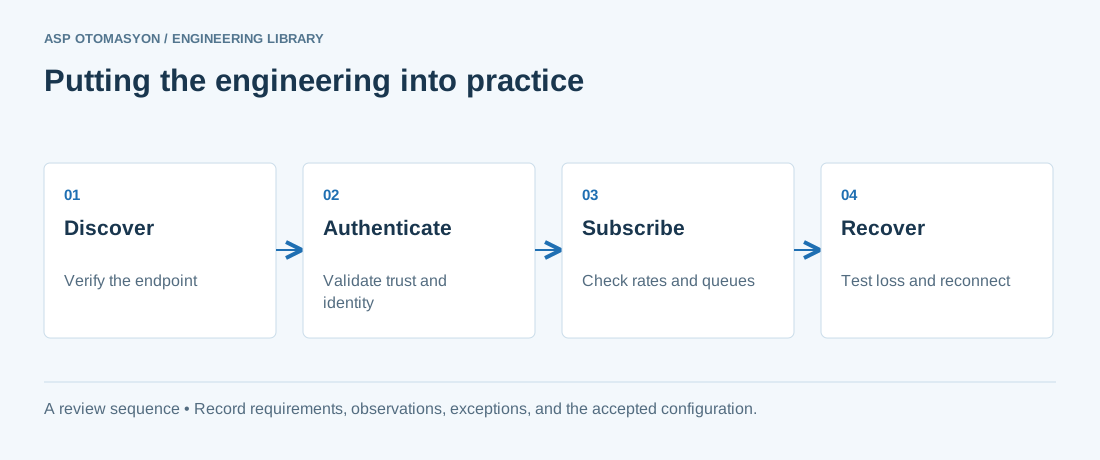\n\n*Engineering review sequence: Discover → Authenticate → Subscribe → Recover. Keep the recorded evidence with the accepted configuration.*\n\n## Primary references and further reading\n\nUse the original specifications and product documentation for implementation details. The examples in this guide are illustrative engineering scenarios, not published project results.\n\n- [OPC Foundation — OPC UA Part 4: Services](https://reference.opcfoundation.org/specs/OPC-10000-4/)\n- [OPC Foundation — OPC UA Part 2: Security Model](https://reference.opcfoundation.org/specs/OPC-10000-2/)\n\n---\n\nCite the canonical article: https://wiki.aspotomasyon.com/article/opc-ua-mqtt-bridge-patterns (OPC UA to MQTT Bridge Patterns, ASP OTOMASYON, updated 2026-09-13).\n","headings":[{"id":"why-bridge-opc-ua-to-mqtt","title":"Why Bridge OPC UA to MQTT?"},{"id":"architecture-patterns","title":"Architecture Patterns"},{"id":"topic-mapping-strategies","title":"Topic Mapping Strategies"},{"id":"payload-encoding-json-vs-sparkplug-b","title":"Payload Encoding: JSON vs. Sparkplug B"},{"id":"security-considerations","title":"Security Considerations"},{"id":"cloud-platform-integration","title":"Cloud Platform Integration"},{"id":"performance-tuning","title":"Performance Tuning"},{"id":"monitoring-the-bridge","title":"Monitoring the Bridge"},{"id":"practical-example-kepware-to-hivemq-cloud","title":"Practical Example: Kepware to HiveMQ Cloud"},{"id":"references-further-reading","title":"References & Further Reading"},{"id":"apply-this-to-your-project","title":"Apply this to your project"},{"id":"primary-references-and-further-reading","title":"Primary references and further reading"}],"faq":[],"references":[{"name":"OPC Foundation — OPC UA Specifications","url":"https://reference.opcfoundation.org/specs/OPC-10000-1"},{"name":"OASIS MQTT — Message Queuing Telemetry Transport Standard","url":"https://mqtt.org"},{"name":"PTC Kepware KEPServerEX — MQTT Client Driver Documentation","url":"https://www.ptc.com/en/products/kepware/kepserverex"},{"name":"Eclipse Tahu — Sparkplug B Specification for Industrial MQTT","url":"https://www.eclipse.org/tahu/"},{"name":"Node-RED — Flow-Based Programming for IoT Integration","url":"https://nodered.org"},{"name":"OPC Foundation — OPC UA Part 4: Services","url":"https://reference.opcfoundation.org/specs/OPC-10000-4/"},{"name":"OPC Foundation — OPC UA Part 2: Security Model","url":"https://reference.opcfoundation.org/specs/OPC-10000-2/"}],"related":[{"slug":"cloud-scada-remote-monitoring","title":"Cloud SCADA and Remote Monitoring Architectures","summary":"Cloud SCADA and remote monitoring extend the plant control and visibility layer beyond the control room.","category":{"slug":"digital-transformation","name":"Digital Transformation"},"url":"https://wiki.aspotomasyon.com/article/cloud-scada-remote-monitoring","markdown_url":"https://wiki.aspotomasyon.com/article/cloud-scada-remote-monitoring.md","api_url":"https://wiki.aspotomasyon.com/api/v1/articles/cloud-scada-remote-monitoring","published":"2026-08-06T12:26:37+00:00","modified":"2026-09-13T11:07:23+00:00","reading_minutes":5,"word_count":984,"image":"https://wiki.aspotomasyon.com/assets/social/cloud-scada-remote-monitoring-dd8794c627d4.png"},{"slug":"protocol-gateway-patterns","title":"Protocol Gateway and Translation Patterns","summary":"No plant runs one protocol: Modbus coexists with PROFINET, EtherNet/IP with OPC UA, HART with MQTT — and the systems that need the data (SCADA, MES, cloud)…","category":{"slug":"modern-connectivity","name":"Modern Connectivity"},"url":"https://wiki.aspotomasyon.com/article/protocol-gateway-patterns","markdown_url":"https://wiki.aspotomasyon.com/article/protocol-gateway-patterns.md","api_url":"https://wiki.aspotomasyon.com/api/v1/articles/protocol-gateway-patterns","published":"2026-08-11T13:05:24+00:00","modified":"2026-09-13T11:07:23+00:00","reading_minutes":4,"word_count":871,"image":"https://wiki.aspotomasyon.com/assets/social/protocol-gateway-patterns-48062598cdfb.png"},{"slug":"opc-da-classic-architecture","title":"OPC Classic (DA/HDA/AE) Architecture and Legacy Integration","summary":"Before OPC UA, the OPC Foundation's OPC Classic specifications — DA (Data Access), HDA (Historical Data Access), and AE (Alarm & Events) — were the de facto…","category":{"slug":"opc-solutions","name":"OPC Solutions"},"url":"https://wiki.aspotomasyon.com/article/opc-da-classic-architecture","markdown_url":"https://wiki.aspotomasyon.com/article/opc-da-classic-architecture.md","api_url":"https://wiki.aspotomasyon.com/api/v1/articles/opc-da-classic-architecture","published":"2026-08-11T13:05:19+00:00","modified":"2026-09-13T11:07:23+00:00","reading_minutes":4,"word_count":858,"image":"https://wiki.aspotomasyon.com/assets/social/opc-da-classic-architecture-b2b34512260e.png"},{"slug":"iiot-sensor-integration-patterns","title":"IIoT Sensor Integration Patterns","summary":"Integrating industrial sensors into an Industrial Internet of Things (IIoT) architecture requires careful selection of sensor technologies, communication…","category":{"slug":"digital-transformation","name":"Digital Transformation"},"url":"https://wiki.aspotomasyon.com/article/iiot-sensor-integration-patterns","markdown_url":"https://wiki.aspotomasyon.com/article/iiot-sensor-integration-patterns.md","api_url":"https://wiki.aspotomasyon.com/api/v1/articles/iiot-sensor-integration-patterns","published":"2026-05-12T12:47:31+00:00","modified":"2026-09-13T11:07:23+00:00","reading_minutes":5,"word_count":965,"image":"https://wiki.aspotomasyon.com/assets/social/iiot-sensor-integration-patterns-083cebd7e251.png"}],"citation":"ASP OTOMASYON. OPC UA to MQTT Bridge Patterns. Updated 2026-09-13. https://wiki.aspotomasyon.com/article/opc-ua-mqtt-bridge-patterns"}}