
Wi-Fi is the workhorse of industrial mobility: AGVs, cranes, forklift terminals, tablets, and maintenance tools all run on it — and industrial environments are the hardest places to make Wi-Fi work: metal structures, moving machinery, RF noise, and applications that cannot tolerate a dropped packet. Industrial Wi-Fi design is an RF engineering discipline: survey, channel planning, roaming design, and validation against the real applications. The office-grade \"install an access point, hope for the best\" approach fails in plants within days.
Wi-Fi design starts with the traffic, not the coverage map:
\n\nPlants distort radio in specific ways:
\n\nIndustrial Wi-Fi is designed from the applications up: client classes and roaming needs define the coverage and channel plan; the RF reality (reflections, interference, moving shadowing) is measured, not assumed; and the deployment is validated with the real applications on the real paths. Manage the APs centrally, segment and secure the SSIDs, monitor continuously, and re-survey as the plant changes. In a plant, Wi-Fi is an industrial system — engineer it like one.
Follow an ASP project guide to connect the fundamentals with implementation and acceptance.

Use the original specifications and product documentation for implementation details. The examples in this guide are illustrative engineering scenarios, not published project results.
","markdown":"# Industrial Wi-Fi Network Design and Deployment\n\n> Wi-Fi is the workhorse of industrial mobility: AGVs, cranes, forklift terminals, tablets, and maintenance tools all run on it — and industrial environments are…\n\n- Canonical URL: https://wiki.aspotomasyon.com/article/industrial-wifi-design\n- Publisher: ASP OTOMASYON A.Ş. (ASP OTOMASYON Wiki)\n- Category: Modern Connectivity\n- Published: 2026-08-11 · Updated: 2026-09-13\n- Reading time: 4 min · Language: English\n\nWi-Fi is the workhorse of industrial mobility: AGVs, cranes, forklift terminals, tablets, and maintenance tools all run on it — and industrial environments are the hardest places to make Wi-Fi work: metal structures, moving machinery, RF noise, and applications that cannot tolerate a dropped packet. Industrial Wi-Fi design is an RF engineering discipline: survey, channel planning, roaming design, and validation against the real applications. The office-grade \"install an access point, hope for the best\" approach fails in plants within days.\n\n\n\n*A generic industrial messaging path. A network or broker acknowledgment is not necessarily confirmation that a downstream business action succeeded.*\n\n## Design from the Applications\n\nWi-Fi design starts with the traffic, not the coverage map:\n\n- **Client types and numbers** — AGVs need deterministic, fast roaming; tablets need throughput; sensors need low power; cameras need bandwidth. Each application class has its own design driver.\n- **Roaming requirements** — the killer requirement in plants: an AGV crossing cell boundaries must roam without losing its control session. Design for the client's roaming behavior (fast roaming, 802.11r) and test the handover with the real device.\n- **Latency and reliability budgets** — which applications tolerate what? A forklift terminal tolerates a 500 ms hiccup; an AGV control link may not. The design budget per application class sets the coverage overlap and channel strategy.\n- **Throughput per area** — machine data collection areas, camera areas, and office areas have different density needs; the design places APs by load, not by grid.\n\n## The RF Environment\n\nPlants distort radio in specific ways:\n\n- **Reflections and multipath** — metal racks, tanks, and machines reflect signals; coverage is not signal strength but signal *quality* (SNR, not RSSI alone). A plant Wi-Fi survey measures data rates and retries, not just bars.\n- **Absorption and shadowing** — liquids, dense storage, and concrete block signals; forklift traffic changes the RF picture minute to minute (a truck full of liquid between the AP and the client).\n- **Interference** — other 2.4 GHz users (Bluetooth, microwaves, neighboring plants), and the plant's own machinery (VFDs, welders, motors) generating broadband noise; a spectrum analysis is part of every survey.\n- **Channel planning** — 2.4 GHz offers 3 non-overlapping channels (1/6/11), 5 GHz far more; the plan assigns channels to minimize co-channel interference in the overlap zones, with power levels tuned to the cell size (not max power).\n\n## Architecture and Equipment\n\n- **Industrial APs** — rated for the environment (temperature, dust, vibration, mounting on machines), with the mounting and antenna options (directional for aisles, omni for open areas).\n- **Controllers and management** — centrally managed APs (controller or cloud-managed) with the roaming, security, and monitoring features; standalone APs in a plant are a maintenance burden and a security gap.\n- **Segmentation** — the Wi-Fi is part of the plant network design: separate SSIDs/VLANs per trust level (plant OT devices, guest, IT), with the traffic policies per zone (see the IP/VLAN design article).\n- **Security** — WPA2/WPA3-Enterprise with per-user/device identity (802.1X), rogue AP detection, and the wireless monitoring integrated with the OT monitoring (see the cybersecurity articles); the wireless is an attack surface, not just a convenience.\n- **Backhaul** — the APs' wired uplinks are engineered like the wireless (cabling per the industrial cabling article); a wireless network on a flaky wired backbone is a two-story failure.\n\n## The Deployment Process\n\n1. **Site survey** — spectrum analysis + predictive design + on-site measurement with the real client types; the survey report is the design's evidence.\n2. **Install and commission** — AP placement per the survey, channels and power configured, security enabled, and the network integrated with the plant's VLANs.\n3. **Validate with the applications** — the acceptance test runs the real applications (AGV roam test, tablet throughput, sensor onboarding) along the real paths; a coverage map is not the acceptance test, the applications are.\n4. **Operate and review** — monitoring (client counts, retries, roaming failures, AP health) with alerts; periodic re-survey (the plant changes: new machines, moved racks, new clients); the annual review keeps the design honest.\n\n## Summary\n\nIndustrial Wi-Fi is designed from the applications up: client classes and roaming needs define the coverage and channel plan; the RF reality (reflections, interference, moving shadowing) is measured, not assumed; and the deployment is validated with the real applications on the real paths. Manage the APs centrally, segment and secure the SSIDs, monitor continuously, and re-survey as the plant changes. In a plant, Wi-Fi is an industrial system — engineer it like one.\n\n## Apply this to your project\n\n- Specify payload structure, units, identity, time semantics, access permissions, and protocol versions.\n- Test backlog growth, connection loss, duplicate delivery, and restart behavior at the consuming application.\n- Document how operators see failures and how the system distinguishes replayed data from current process state.\n\n[Follow an ASP project guide](https://wiki.aspotomasyon.com/guides) to connect the fundamentals with implementation and acceptance.\n\n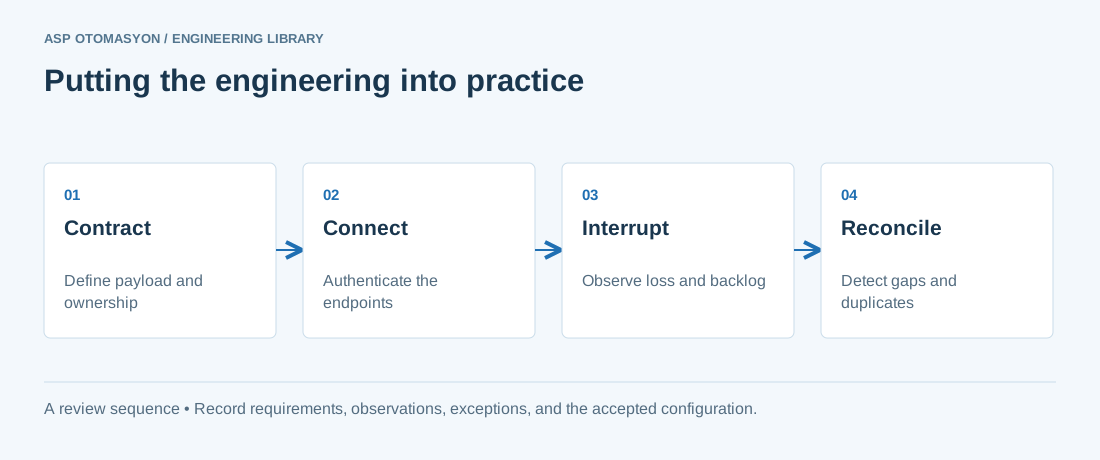\n\n*Engineering review sequence: Contract → Connect → Interrupt → Reconcile. Keep the recorded evidence with the accepted configuration.*\n\n## Primary references and further reading\n\nUse the original specifications and product documentation for implementation details. The examples in this guide are illustrative engineering scenarios, not published project results.\n\n- [OASIS — MQTT 5.0 specification](https://docs.oasis-open.org/mqtt/mqtt/v5.0/mqtt-v5.0.html)\n- [Modbus Organization — Protocol specifications](https://www.modbus.org/modbus-specifications)\n- [Eclipse Foundation — Sparkplug 3.0 specification](https://sparkplug.eclipse.org/specification/version/3.0/)\n\n---\n\nCite the canonical article: https://wiki.aspotomasyon.com/article/industrial-wifi-design (Industrial Wi-Fi Network Design and Deployment, ASP OTOMASYON, updated 2026-09-13).\n","headings":[{"id":"design-from-the-applications","title":"Design from the Applications"},{"id":"the-rf-environment","title":"The RF Environment"},{"id":"architecture-and-equipment","title":"Architecture and Equipment"},{"id":"the-deployment-process","title":"The Deployment Process"},{"id":"summary","title":"Summary"},{"id":"apply-this-to-your-project","title":"Apply this to your project"},{"id":"primary-references-and-further-reading","title":"Primary references and further reading"}],"faq":[],"references":[{"name":"OASIS — MQTT 5.0 specification","url":"https://docs.oasis-open.org/mqtt/mqtt/v5.0/mqtt-v5.0.html"},{"name":"Modbus Organization — Protocol specifications","url":"https://www.modbus.org/modbus-specifications"},{"name":"Eclipse Foundation — Sparkplug 3.0 specification","url":"https://sparkplug.eclipse.org/specification/version/3.0/"}],"related":[{"slug":"mqtt-broker-deployment","title":"MQTT Broker Deployment and Hardening","summary":"MQTT is the de facto transport for industrial IoT telemetry: lightweight publish/subscribe over TCP, ideal for the many-to-many data flows of plant-to-cloud…","category":{"slug":"modern-connectivity","name":"Modern Connectivity"},"url":"https://wiki.aspotomasyon.com/article/mqtt-broker-deployment","markdown_url":"https://wiki.aspotomasyon.com/article/mqtt-broker-deployment.md","api_url":"https://wiki.aspotomasyon.com/api/v1/articles/mqtt-broker-deployment","published":"2026-08-11T13:05:24+00:00","modified":"2026-09-13T11:07:23+00:00","reading_minutes":4,"word_count":871,"image":"https://wiki.aspotomasyon.com/assets/social/mqtt-broker-deployment-4fdd84765a13.png"},{"slug":"data-historian-selection-deployment","title":"Data Historian Selection and Deployment","summary":"A data historian is the long-term memory of an industrial plant. Where a PLC or SCADA system keeps live values in memory, a historian collects time-stamped…","category":{"slug":"digital-transformation","name":"Digital Transformation"},"url":"https://wiki.aspotomasyon.com/article/data-historian-selection-deployment","markdown_url":"https://wiki.aspotomasyon.com/article/data-historian-selection-deployment.md","api_url":"https://wiki.aspotomasyon.com/api/v1/articles/data-historian-selection-deployment","published":"2026-08-06T12:26:37+00:00","modified":"2026-09-13T11:07:23+00:00","reading_minutes":5,"word_count":954,"image":"https://wiki.aspotomasyon.com/assets/social/data-historian-selection-deployment-9daadd28e9f8.png"},{"slug":"industrial-firewalls-ids","title":"Industrial Firewalls and Intrusion Detection Deployment","summary":"Firewalls and intrusion detection are the mechanical core of OT network security: firewalls enforce the zones-and-conduits policy, and IDS/NDR systems watch…","category":{"slug":"industrial-cybersecurity","name":"Industrial Cybersecurity"},"url":"https://wiki.aspotomasyon.com/article/industrial-firewalls-ids","markdown_url":"https://wiki.aspotomasyon.com/article/industrial-firewalls-ids.md","api_url":"https://wiki.aspotomasyon.com/api/v1/articles/industrial-firewalls-ids","published":"2026-08-11T13:05:24+00:00","modified":"2026-09-13T11:07:23+00:00","reading_minutes":4,"word_count":858,"image":"https://wiki.aspotomasyon.com/assets/social/industrial-firewalls-ids-1621f25dc330.png"},{"slug":"cloud-edge-ot-security","title":"Securing Cloud-Connected OT and Edge Deployments","summary":"Industry 4.0 architectures put edge devices and cloud services on the OT network's boundary: gateways that collect data and forward it to cloud platforms, edge…","category":{"slug":"industrial-cybersecurity","name":"Industrial Cybersecurity"},"url":"https://wiki.aspotomasyon.com/article/cloud-edge-ot-security","markdown_url":"https://wiki.aspotomasyon.com/article/cloud-edge-ot-security.md","api_url":"https://wiki.aspotomasyon.com/api/v1/articles/cloud-edge-ot-security","published":"2026-08-11T13:05:24+00:00","modified":"2026-09-13T11:07:23+00:00","reading_minutes":4,"word_count":874,"image":"https://wiki.aspotomasyon.com/assets/social/cloud-edge-ot-security-0cff76b6207f.png"}],"citation":"ASP OTOMASYON. Industrial Wi-Fi Network Design and Deployment. Updated 2026-09-13. https://wiki.aspotomasyon.com/article/industrial-wifi-design"}}