
KEPServerEX from PTC/Kepware is the most widely deployed OPC server in industrial automation, and most users only scratch the surface of its capabilities. Beyond basic tag reading and writing, KEPServerEX offers a mature alarm and event subsystem, database logging via ODBC/SQL, and a full redundancy solution through RedundancyMaster. This article goes deep into these advanced features, providing configuration guidance, best practices, and performance optimisation techniques for Turkish and regional industrial users.
KEPServerEX can generate alarms based on tag conditions — value thresholds, quality changes, or communication status shifts. Alarms appear in the OPC AE (Alarms & Events) address space and can be consumed by any OPC AE-compliant client.
\n\n| Alarm Type | Trigger Condition | Typical Use |
|---|---|---|
| Level Alarm | Tag value crosses a defined threshold | High temperature, low pressure |
| Deviation Alarm | Tag deviates from a setpoint by a defined amount | Process variable vs. setpoint monitoring |
| Rate-of-Change Alarm | Tag changes faster than a defined rate | Sudden pressure drop detection |
| Quality Alarm | Tag quality changes (Good → Bad/Uncertain) | Communication loss, device fault |
| Digital Alarm | Boolean tag changes to a specific state | Motor start/stop, valve open/closed |
Alarm: {TagName} exceeded {LimitType} limit.\nCurrent value: {Value} at {Timestamp}Organise alarms by area for better management:
\nPlant1.ReactorArea, Plant1.PackagingArea.KEPServerEX can log tag data, alarms, and events to any ODBC-compliant database. This is the primary mechanism for building a process historian without a separate historian product.
\n\nKepwareHistorian192.168.1.50 (database server IP)PlantHistorianPLC01_TagGroup.KepwareHistorian).TagLog_{GroupName}_{YYYYMM} for automatic monthly partitioning.CREATE TABLE TagLog_Default (\n DateTime DATETIME NOT NULL,\n TagName NVARCHAR(256) NOT NULL,\n Value FLOAT NULL,\n Quality NVARCHAR(50) NULL,\n QualityCode INT NULL,\n Timestamp DATETIME NULL, -- source timestamp\n CONSTRAINT PK_TagLog PRIMARY KEY (DateTime, TagName)\n);RedundancyMaster is a separate Kepware product that provides automatic failover between two KEPServerEX instances. It is essential for applications where OPC data availability is critical (e.g., pipeline monitoring, emergency shutdown systems).
\n\n +-----------------------+\n | RedundancyMaster |\n | (watchdog service) |\n +-----------+-----------+\n |\n +---------------------+---------------------+\n | |\n+---------v----------+ +---------v----------+\n| KEPServerEX | | KEPServerEX |\n| Primary Server |<--- OPC UA/DA ----->| Secondary Server |\n| (Active) | sync | (Standby) |\n+--------------------+ +--------------------+\n | |\n +-------------------+-----------------------+\n |\n +---------v----------+\n | OPC Client(s) |\n | (HMI, SCADA, etc.) |\n +--------------------+PRIMARY_KEPopc.tcp://192.168.1.10:49320http://192.168.1.10:57412192.168.1.11).opc.tcp://redundancy-cluster:49320| Scenario | Behaviour | Impact on Clients |
|---|---|---|
| Primary server crash | RM detects missing health check, promotes secondary within 15 s | Brief data gap (15–30 s total) |
| Network link failure | Same as crash — secondary takes over | Data gap, alarms may re-arm on recovery |
| Planned maintenance | Manual switchover via RM console — zero data loss | Transparent to clients |
| Primary recovers | RM detects recovery, re-syncs data, does NOT auto-fail-back | No impact (manual failback) |
| Both servers fail | RM marks both as unavailable; all subscriptions invalidated | Full data loss until at least one recovers |
KEPServerEX can execute event-triggered actions in response to alarms, tag changes, or system events. These are configured per alarm or tag.
\n\nEvent: Alarm \"Reactor_Temp\" enters Active state\nTrigger: Tag value >= HH_Limit (150.0 °C)\nAction: Send Email\nTo: operator@company.com.tr\nSubject: [CRITICAL] Reactor Temperature Alarm\nBody: Reactor temperature has reached {Value} °C at {Timestamp}.\n Please acknowledge immediately.Kepware includes a Lua scripting engine for custom logic that runs inside KEPServerEX. Lua scripts have access to the internal tag database and can read/write tags, send emails, log data, and execute HTTP requests.
\n\n.lua file.-- Lua script: Calculate efficiency and write to output tag\nlocal rawFlow = kepware.readTag(\"Flow_RAW\")\nlocal rawTemp = kepware.readTag(\"Temp_RAW\")\nlocal rawPress = kepware.readTag(\"Pressure_RAW\")\n\n-- Correct flow for temperature and pressure\nlocal correctedFlow = rawFlow *\n math.sqrt((273.15 + 20.0) / (273.15 + rawTemp)) *\n (rawPress / 1013.25)\n\nkepware.writeTag(\"Flow_Corrected\", correctedFlow)\nkepware.logMessage(\"Corrected flow calculated: \" .. correctedFlow)\nWhen managing 10,000+ tags, KEPServerEX performance depends heavily on configuration. Apply these optimisations:
\n\n| Optimisation | Configuration | Typical Gain |
|---|---|---|
| Disable unused channels | Set scan rate to 0 for channels not in active use | Frees CPU cycles from polling |
| Use tag groups | Group related tags; avoid individual tag polling | Reduces OPC subscription overhead |
| Adjust scan rates | Slow tags (tank levels): 5000 ms. Fast tags (vibration): 100 ms | Balances CPU vs. responsiveness |
| Enable auto-demotion | Automatically reduces polling frequency for unresponsive devices | Prevents bus bandwidth waste |
| Use OPC UA subscriptions | Prefer OPC UA subscriptions over DA groups for large tag sets | Subscription sampling is more efficient than polling |
| Increase MaxTagsPerRequest | Set to protocol maximum (e.g., Modbus: 125) | More data per read, fewer transactions |
| Disable unused alarms | Remove alarm configuration from tags that don't need it | Reduces AE processing overhead |
| Separate logging threads | Assign different ODBC DSNs to different log groups for parallel writes | Prevents DB write queue blocking |
\nKey takeaway: KEPServerEX is far more than a tag server. Its alarm engine, ODBC historian, RedundancyMaster failover, and Lua scripting capabilities make it a central nervous system for industrial data. Invest time in configuring these features properly — a well-tuned Kepware deployment runs for years without intervention.
\n
Follow an ASP project guide to connect the fundamentals with implementation and acceptance.

Use the original specifications and product documentation for implementation details. The examples in this guide are illustrative engineering scenarios, not published project results.
","markdown":"# Advanced Kepware: Alarms, Historical Data, and Redundancy\n\n> KEPServerEX from PTC/Kepware is the most widely deployed OPC server in industrial automation, and most users only scratch the surface of its capabilities.\n\n- Canonical URL: https://wiki.aspotomasyon.com/article/advanced-kepware-alarms-history-redundancy\n- Publisher: ASP OTOMASYON A.Ş. (ASP OTOMASYON Wiki)\n- Category: OPC Solutions\n- Published: 2026-05-13 · Updated: 2026-09-13\n- Reading time: 8 min · Language: English\n\nKEPServerEX from PTC/Kepware is the most widely deployed OPC server in industrial automation, and most users only scratch the surface of its capabilities. Beyond basic tag reading and writing, KEPServerEX offers a mature alarm and event subsystem, database logging via ODBC/SQL, and a full redundancy solution through RedundancyMaster. This article goes deep into these advanced features, providing configuration guidance, best practices, and performance optimisation techniques for Turkish and regional industrial users.\n\n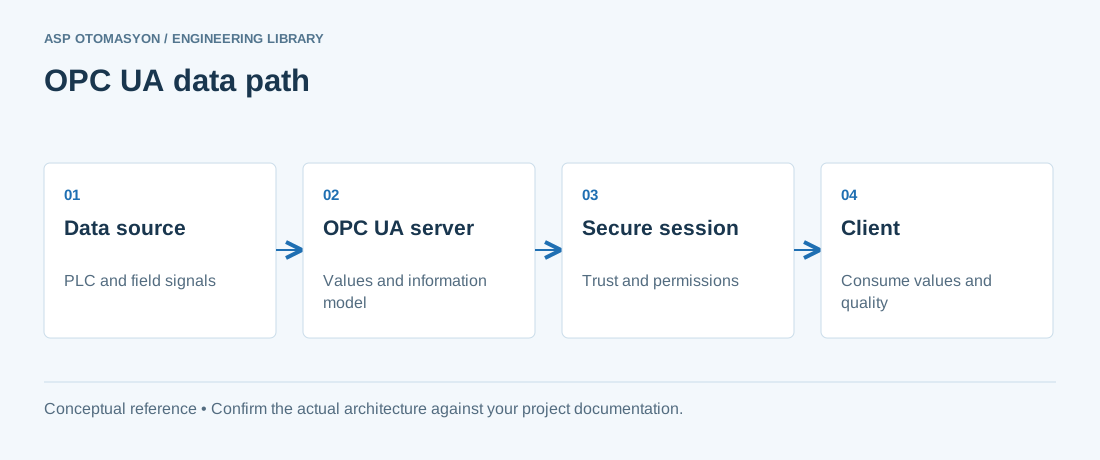\n\n*A conceptual OPC UA client/server path. Application certificates establish application trust; user authorization controls what a connected user may do.*\n\n## Alarm and Event Configuration\n\nKEPServerEX can generate alarms based on tag conditions — value thresholds, quality changes, or communication status shifts. Alarms appear in the OPC AE (Alarms & Events) address space and can be consumed by any OPC AE-compliant client.\n\n### Alarm Types\n\n| Alarm Type | Trigger Condition | Typical Use |\n| --- | --- | --- |\n| Level Alarm | Tag value crosses a defined threshold | High temperature, low pressure |\n| Deviation Alarm | Tag deviates from a setpoint by a defined amount | Process variable vs. setpoint monitoring |\n| Rate-of-Change Alarm | Tag changes faster than a defined rate | Sudden pressure drop detection |\n| Quality Alarm | Tag quality changes (Good → Bad/Uncertain) | Communication loss, device fault |\n| Digital Alarm | Boolean tag changes to a specific state | Motor start/stop, valve open/closed |\n\n### Configuring Alarms in KEPServerEX\n\n1. Right-click the tag in the project tree and select **Alarms & Events** → **Configure Alarm** .\n2. Select the alarm type (e.g., Level Alarm).\n3. Set the threshold values:\n - **High High Limit (HH)** — Critical high, triggers most severe alarm.\n - **High Limit (H)** — Warning high.\n - **Low Limit (L)** — Warning low.\n - **Low Low Limit (LL)** — Critical low.\n4. Configure **deadband** to prevent alarm chatter (e.g., 2% of range).\n5. Set the **severity** (1–1000, where 1000 is most critical).\n6. Define the **alarm message** template: `Alarm: {TagName} exceeded {LimitType} limit. Current value: {Value} at {Timestamp}`\n7. Optionally enable **alarm acknowledgement** — operators must acknowledge the alarm in the client.\n\n### Alarm Groups and Areas\n\nOrganise alarms by **area** for better management:\n\n- Create area nodes under the **Alarms & Events** tree: `Plant1.ReactorArea` , `Plant1.PackagingArea` .\n- Assign alarms to areas for filtering in the OPC AE client.\n- Enable **area-level alarming** to suppress all alarms in an area during maintenance mode.\n\n## Database Logging (ODBC/SQL)\n\nKEPServerEX can log tag data, alarms, and events to any ODBC-compliant database. This is the primary mechanism for building a process historian without a separate historian product.\n\n### Supported Database Targets\n\n- Microsoft SQL Server (2016+), SQL Server Express\n- PostgreSQL 12+ (via ODBC driver)\n- MySQL / MariaDB 10.3+\n- SQLite (for lightweight, local logging)\n- Oracle Database (12c+)\n\n### ODBC Data Source Configuration\n\n1. Install the appropriate ODBC driver on the KEPServerEX machine.\n2. Open **ODBC Data Source Administrator** (64-bit).\n3. Create a **System DSN** :\n - Name: `KepwareHistorian`\n - Server: `192.168.1.50` (database server IP)\n - Database: `PlantHistorian`\n - Authentication: SQL Server Authentication or Windows Integrated\n4. Test the connection — verify DSN is accessible from the KEPServerEX service account.\n\n### Data Logging Configuration\n\n1. In KEPServerEX, navigate to **Logging** → **Data Logging** .\n2. Click **New Log Group** — give it a name, e.g., `PLC01_TagGroup` .\n3. Select the ODBC DSN ( `KepwareHistorian` ).\n4. Configure logging interval:\n - **Periodic** — Logs every N seconds (e.g., 10 s for level data, 60 s for temperature).\n - **On Change** — Logs only when the value changes by a defined deadband (reduces storage).\n - **On Event** — Logs triggered by an alarm or system event.\n5. Select the tags to log. Use tag groups or wildcards for efficiency.\n6. Define the table name template: `TagLog_{GroupName}_{YYYYMM}` for automatic monthly partitioning.\n7. Click **Enable** to start logging.\n\n### Table Schema Created by Kepware\n\n```\nCREATE TABLE TagLog_Default (\n DateTime DATETIME NOT NULL,\n TagName NVARCHAR(256) NOT NULL,\n Value FLOAT NULL,\n Quality NVARCHAR(50) NULL,\n QualityCode INT NULL,\n Timestamp DATETIME NULL, -- source timestamp\n CONSTRAINT PK_TagLog PRIMARY KEY (DateTime, TagName)\n);\n```\n\n### Best Practices for Database Logging\n\n- **Partition tables** by month or week to keep index rebuild times manageable.\n- **Use On-Change logging** with a 1–2% deadband for analog values — this typically reduces storage by 60–80% compared to periodic logging.\n- **Separate logging groups** for fast-changing tags (e.g., vibration data at 100 ms) and slow-changing tags (e.g., tank level at 60 s).\n- **Monitor database disk space** — a medium-sized plant with 5000 tags logging every 10 seconds generates approximately 2–3 GB per month.\n- **Set a retention policy** — archive and purge data older than 12–24 months from the operational database.\n\n```\n +-----------------------+\n | RedundancyMaster |\n | (watchdog service) |\n +-----------+-----------+\n |\n +---------------------+---------------------+\n | |\n+---------v----------+ +---------v----------+\n| KEPServerEX | | KEPServerEX |\n| Primary Server |<--- OPC UA/DA ----->| Secondary Server |\n| (Active) | sync | (Standby) |\n+--------------------+ +--------------------+\n | |\n +-------------------+-----------------------+\n |\n +---------v----------+\n | OPC Client(s) |\n | (HMI, SCADA, etc.) |\n +--------------------+\n```\n\n### Configuration Steps\n\n1. Install KEPServerEX on both the primary and secondary servers. Configure identical channels, devices, and tags on both.\n2. Install RedundancyMaster on a third machine (or on the primary server).\n3. Launch **RedundancyMaster Administration** .\n4. Add the primary server:\n - Server name: `PRIMARY_KEP`\n - OPC UA endpoint: `opc.tcp://192.168.1.10:49320`\n - Admin endpoint: `http://192.168.1.10:57412`\n5. Add the secondary server with the same configuration (different IP: `192.168.1.11` ).\n6. Configure the **health check interval** — default 5 seconds. Adjust to 2 seconds for critical processes.\n7. Set the **failover threshold** — number of consecutive health check failures before switching. Default: 3 (15 seconds total).\n8. Select **synchronisation options** :\n - **Tag data sync** — Replicates runtime tag values from primary to secondary.\n - **Configuration sync** — Replicates project configuration (channels, devices, tags).\n - **Alarm state sync** — Replicates active alarm states and acknowledgements.\n9. Configure the **virtual OPC UA endpoint** that clients will use: `opc.tcp://redundancy-cluster:49320`\n10. Start the RedundancyMaster service. Verify status shows **Primary Active** and **Secondary Standby** .\n\n### Failover Scenarios\n\n| Scenario | Behaviour | Impact on Clients |\n| --- | --- | --- |\n| Primary server crash | RM detects missing health check, promotes secondary within 15 s | Brief data gap (15–30 s total) |\n| Network link failure | Same as crash — secondary takes over | Data gap, alarms may re-arm on recovery |\n| Planned maintenance | Manual switchover via RM console — zero data loss | Transparent to clients |\n| Primary recovers | RM detects recovery, re-syncs data, does NOT auto-fail-back | No impact (manual failback) |\n| Both servers fail | RM marks both as unavailable; all subscriptions invalidated | Full data loss until at least one recovers |\n\n## Event-Triggered Actions\n\nKEPServerEX can execute **event-triggered actions** in response to alarms, tag changes, or system events. These are configured per alarm or tag.\n\n### Available Actions\n\n- **Write to tag** — Set a tag value (e.g., acknowledge alarm, reset counter).\n- **Run external program** — Execute an .exe or script file on the KEPServerEX machine.\n- **Send email** — Via SMTP (requires SMTP server configuration in KEPServerEX).\n- **Log to file** — Append a line to a CSV or text file.\n- **Send SNMP trap** — For integration with network management systems (Nagios, PRTG, Zabbix).\n- **Execute SQL query** — Write directly to a database table.\n\n### Example: Email Notification on High Temperature\n\n```\nEvent: Alarm \"Reactor_Temp\" enters Active state\nTrigger: Tag value >= HH_Limit (150.0 °C)\nAction: Send Email\nTo: operator@company.com.tr\nSubject: [CRITICAL] Reactor Temperature Alarm\nBody: Reactor temperature has reached {Value} °C at {Timestamp}.\n Please acknowledge immediately.\n```\n\n## Scripting in Kepware (Lua)\n\nKepware includes a **Lua scripting engine** for custom logic that runs inside KEPServerEX. Lua scripts have access to the internal tag database and can read/write tags, send emails, log data, and execute HTTP requests.\n\n### Enabling Lua Scripting\n\n1. In KEPServerEX, navigate to **Tools** → **Lua Script** .\n2. Create a new script or import an existing `.lua` file.\n3. Enable the script and set its execution trigger:\n - **On Startup** — Runs once when KEPServerEX starts.\n - **Periodic** — Runs at a defined interval (e.g., every 5 seconds).\n - **On Tag Change** — Triggered when a specific tag changes.\n - **On Event** — Triggered by an alarm or system event.\n\n### Example: Write Calculation Result to Tag\n\n```\n-- Lua script: Calculate efficiency and write to output tag\nlocal rawFlow = kepware.readTag(\"Flow_RAW\")\nlocal rawTemp = kepware.readTag(\"Temp_RAW\")\nlocal rawPress = kepware.readTag(\"Pressure_RAW\")\n\n-- Correct flow for temperature and pressure\nlocal correctedFlow = rawFlow *\n math.sqrt((273.15 + 20.0) / (273.15 + rawTemp)) *\n (rawPress / 1013.25)\n\nkepware.writeTag(\"Flow_Corrected\", correctedFlow)\nkepware.logMessage(\"Corrected flow calculated: \" .. correctedFlow)\n```\n\n## Performance Optimisation for High Tag Counts\n\nWhen managing 10,000+ tags, KEPServerEX performance depends heavily on configuration. Apply these optimisations:\n\n| Optimisation | Configuration | Typical Gain |\n| --- | --- | --- |\n| Disable unused channels | Set scan rate to 0 for channels not in active use | Frees CPU cycles from polling |\n| Use tag groups | Group related tags; avoid individual tag polling | Reduces OPC subscription overhead |\n| Adjust scan rates | Slow tags (tank levels): 5000 ms. Fast tags (vibration): 100 ms | Balances CPU vs. responsiveness |\n| Enable auto-demotion | Automatically reduces polling frequency for unresponsive devices | Prevents bus bandwidth waste |\n| Use OPC UA subscriptions | Prefer OPC UA subscriptions over DA groups for large tag sets | Subscription sampling is more efficient than polling |\n| Increase MaxTagsPerRequest | Set to protocol maximum (e.g., Modbus: 125) | More data per read, fewer transactions |\n| Disable unused alarms | Remove alarm configuration from tags that don't need it | Reduces AE processing overhead |\n| Separate logging threads | Assign different ODBC DSNs to different log groups for parallel writes | Prevents DB write queue blocking |\n\n> **Key takeaway:** KEPServerEX is far more than a tag server. Its alarm engine, ODBC historian, RedundancyMaster failover, and Lua scripting capabilities make it a central nervous system for industrial data. Invest time in configuring these features properly — a well-tuned Kepware deployment runs for years without intervention.\n\n---\n\n## References & Further Reading\n\n1. [PTC Kepware KEPServerEX — Advanced Features Documentation](https://www.ptc.com/en/products/kepware/kepserverex) — Official product documentation for alarm and event configuration, ODBC data logging, redundancy setup, and Lua scripting in KEPServerEX.\n2. [PTC Kepware RedundancyMaster — High Availability Configuration](https://www.ptc.com/en/products/kepware) — Official documentation for RedundancyMaster, covering active/standby failover, health check configuration, and synchronisation settings.\n3. [PTC Kepware Technical Support — Knowledge Base](https://www.ptc.com/en/support/help/kepware) — Official Kepware support portal with technical articles on high-tag-count optimisation, performance tuning, and troubleshooting advanced configurations.\n4. [Lua 5.4 Reference Manual](https://www.lua.org/manual/5.4/) — Official Lua programming language reference used for KEPServerEX scripting, covering the language syntax, standard libraries, and embedding API.\n5. [OPC UA Part 3: Address Space Model — Alarms and Conditions](https://reference.opcfoundation.org/v104/Core/docs/Part3/) — Official OPC UA specification for the Alarms and Conditions (A&C) address space model consumed by KEPServerEX alarm configurations.\n\n## Apply this to your project\n\n- Record the endpoint, supported security policies, application identity, certificate expiry, and user permissions.\n- Verify the value, engineering unit, StatusCode, and source timestamp together at the receiving application.\n- Test disconnection and recovery with representative subscriptions; preserve evidence of any data gaps or repeated values.\n\n[Follow an ASP project guide](https://wiki.aspotomasyon.com/guides) to connect the fundamentals with implementation and acceptance.\n\n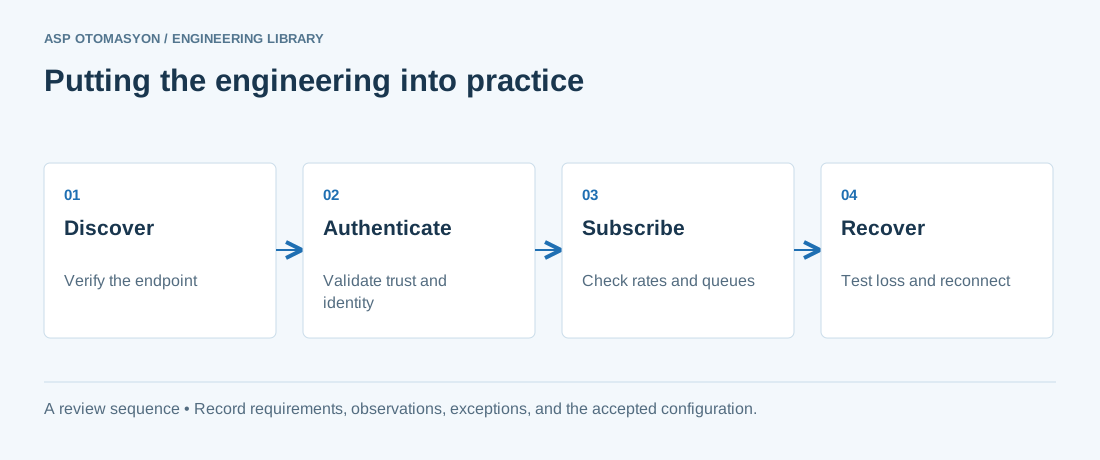\n\n*Engineering review sequence: Discover → Authenticate → Subscribe → Recover. Keep the recorded evidence with the accepted configuration.*\n\n## Primary references and further reading\n\nUse the original specifications and product documentation for implementation details. The examples in this guide are illustrative engineering scenarios, not published project results.\n\n- [OPC Foundation — OPC UA Part 4: Services](https://reference.opcfoundation.org/specs/OPC-10000-4/)\n- [OPC Foundation — OPC UA Part 2: Security Model](https://reference.opcfoundation.org/specs/OPC-10000-2/)\n\n---\n\nCite the canonical article: https://wiki.aspotomasyon.com/article/advanced-kepware-alarms-history-redundancy (Advanced Kepware: Alarms, Historical Data, and Redundancy, ASP OTOMASYON, updated 2026-09-13).\n","headings":[{"id":"alarm-and-event-configuration","title":"Alarm and Event Configuration"},{"id":"database-logging-odbcsql","title":"Database Logging (ODBC/SQL)"},{"id":"redundancymaster-setup","title":"RedundancyMaster Setup"},{"id":"event-triggered-actions","title":"Event-Triggered Actions"},{"id":"scripting-in-kepware-lua","title":"Scripting in Kepware (Lua)"},{"id":"performance-optimisation-for-high-tag-counts","title":"Performance Optimisation for High Tag Counts"},{"id":"references-further-reading","title":"References & Further Reading"},{"id":"apply-this-to-your-project","title":"Apply this to your project"},{"id":"primary-references-and-further-reading","title":"Primary references and further reading"}],"faq":[],"references":[{"name":"PTC Kepware KEPServerEX — Advanced Features Documentation","url":"https://www.ptc.com/en/products/kepware/kepserverex"},{"name":"PTC Kepware RedundancyMaster — High Availability Configuration","url":"https://www.ptc.com/en/products/kepware"},{"name":"PTC Kepware Technical Support — Knowledge Base","url":"https://www.ptc.com/en/support/help/kepware"},{"name":"Lua 5.4 Reference Manual","url":"https://www.lua.org/manual/5.4/"},{"name":"OPC UA Part 3: Address Space Model — Alarms and Conditions","url":"https://reference.opcfoundation.org/v104/Core/docs/Part3/"},{"name":"OPC Foundation — OPC UA Part 4: Services","url":"https://reference.opcfoundation.org/specs/OPC-10000-4/"},{"name":"OPC Foundation — OPC UA Part 2: Security Model","url":"https://reference.opcfoundation.org/specs/OPC-10000-2/"}],"related":[{"slug":"opc-ua-redundancy-failover-testing","title":"OPC UA Redundancy: Failover Models and How to Test Them","summary":"OPC UA separates transparent from non-transparent server redundancy and uses a ServiceLevel value to pick the server, so failover tests must check servers and…","category":{"slug":"opc-solutions","name":"OPC Solutions"},"url":"https://wiki.aspotomasyon.com/article/opc-ua-redundancy-failover-testing","markdown_url":"https://wiki.aspotomasyon.com/article/opc-ua-redundancy-failover-testing.md","api_url":"https://wiki.aspotomasyon.com/api/v1/articles/opc-ua-redundancy-failover-testing","published":"2026-10-11T11:46:21+00:00","modified":"2026-10-11T11:46:21+00:00","reading_minutes":9,"word_count":1894,"image":"https://wiki.aspotomasyon.com/assets/social/opc-ua-redundancy-failover-testing-0ddf98f25724.png"},{"slug":"kepware-kepserverex-configuration-guide","title":"Kepware KEPServerEX Configuration Guide","summary":"Kepware Server (formerly KEPServerEX) is one of the most widely deployed OPC servers, providing connectivity to over 150 industrial protocols and device…","category":{"slug":"opc-solutions","name":"OPC Solutions"},"url":"https://wiki.aspotomasyon.com/article/kepware-kepserverex-configuration-guide","markdown_url":"https://wiki.aspotomasyon.com/article/kepware-kepserverex-configuration-guide.md","api_url":"https://wiki.aspotomasyon.com/api/v1/articles/kepware-kepserverex-configuration-guide","published":"2026-05-12T12:47:31+00:00","modified":"2026-09-13T11:07:23+00:00","reading_minutes":5,"word_count":928,"image":"https://wiki.aspotomasyon.com/assets/social/kepware-kepserverex-configuration-guide-eba1e4597a3a.png"},{"slug":"opc-ua-server-setup-with-kepware","title":"OPC UA Server Setup with Kepware","summary":"This guide walks through the complete process of configuring OPC UA server functionality in Kepware KEPServerEX. Once configured, OPC UA clients can securely…","category":{"slug":"technical-guides","name":"Technical Guides"},"url":"https://wiki.aspotomasyon.com/article/opc-ua-server-setup-with-kepware","markdown_url":"https://wiki.aspotomasyon.com/article/opc-ua-server-setup-with-kepware.md","api_url":"https://wiki.aspotomasyon.com/api/v1/articles/opc-ua-server-setup-with-kepware","published":"2026-05-12T12:47:31+00:00","modified":"2026-09-13T11:07:23+00:00","reading_minutes":5,"word_count":962,"image":"https://wiki.aspotomasyon.com/assets/social/opc-ua-server-setup-with-kepware-34ec46e25fac.png"},{"slug":"kepware-driver-selection-architecture","title":"Kepware Driver Selection and Channel/Tag Architecture","summary":"KEPServerEX is the most widely deployed industrial connectivity platform: it converts dozens of native protocols — Siemens, Allen-Bradley, Modbus, DNP3…","category":{"slug":"opc-solutions","name":"OPC Solutions"},"url":"https://wiki.aspotomasyon.com/article/kepware-driver-selection-architecture","markdown_url":"https://wiki.aspotomasyon.com/article/kepware-driver-selection-architecture.md","api_url":"https://wiki.aspotomasyon.com/api/v1/articles/kepware-driver-selection-architecture","published":"2026-08-11T13:05:19+00:00","modified":"2026-09-13T11:07:23+00:00","reading_minutes":5,"word_count":921,"image":"https://wiki.aspotomasyon.com/assets/social/kepware-driver-selection-architecture-22591e1f10b4.png"}],"citation":"ASP OTOMASYON. Advanced Kepware: Alarms, Historical Data, and Redundancy. Updated 2026-09-13. https://wiki.aspotomasyon.com/article/advanced-kepware-alarms-history-redundancy"}}